


What is a “distribution” address location?
In Tradogram, labeling an address as a Distribution location changes how the system handles inventory and deliveries for that site. It identifies a specific location where item stock levels are actively tracked.
How it Works
Unlike a standard shipping address, a distribution location is integrated directly with your Inventory Module. Stock can only be held at addresses tagged as distribution locations.
- Receiving Deliveries: When a delivery is booked for a stock item, you can assign the incoming quantities directly to a specific distribution location to update its on-hand balance.

- Stock Management: Item quantities can be manually updated or transferred between different distribution addresses as needed.
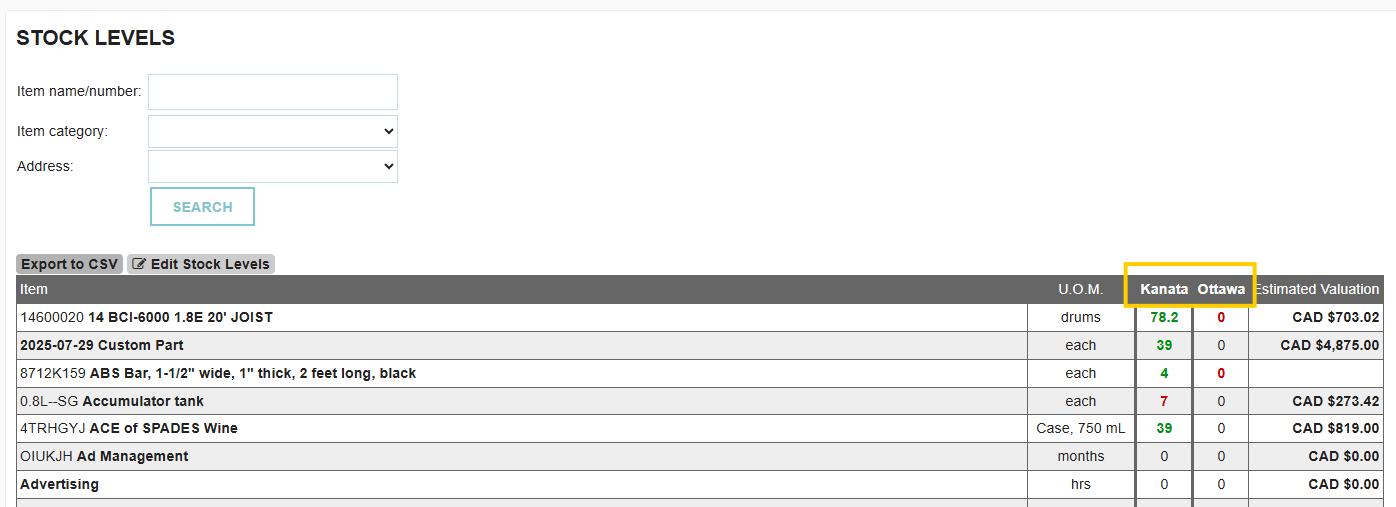
- Automatic Audit Trail: Any time stock is adjusted or shifted, the changes are automatically recorded in each item’s Inventory Log for full transparency.

When Should I Use This?
You should mark an address as a distribution location if:
- You maintain a physical storeroom, warehouse, or stock closet at that site.
- You need to track the exact quantity of items currently on hand at that location.
- You want to monitor stock movements (transfers) from one site to another.
Pro Tip: An address can be listed as both a delivery location and a distribution location simultaneously. If an office location consumes items immediately upon arrival, you may not need the distribution tag.
How to Enable a Distribution Location
You can set this status when adding a new address or by updating an existing one:
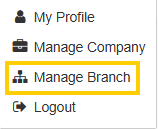
- Go to Manage Branch.
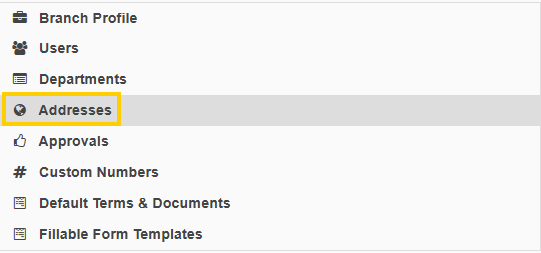
- Select Addresses.
- Click the Edit (pencil) icon on the desired address.

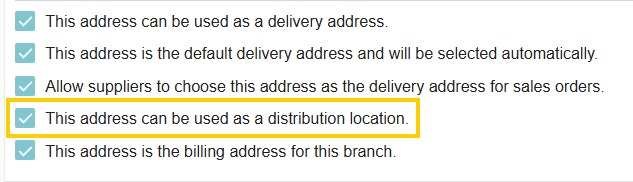
- Check the box labeled: "This address can be used as a distribution location".
- Save your changes.
Thank you! Your submission has been received!
Oops! Something went wrong while submitting the form.
.webp)
.png)


