


Why are some purchase orders not appearing in the deliveries listing overview page?
If you are looking for a specific Purchase Order (PO) in your Deliveries listing and cannot find it, it is likely due to the document's status or a lack of recorded delivery data prior to the PO being closed.
How the Deliveries Filter Works
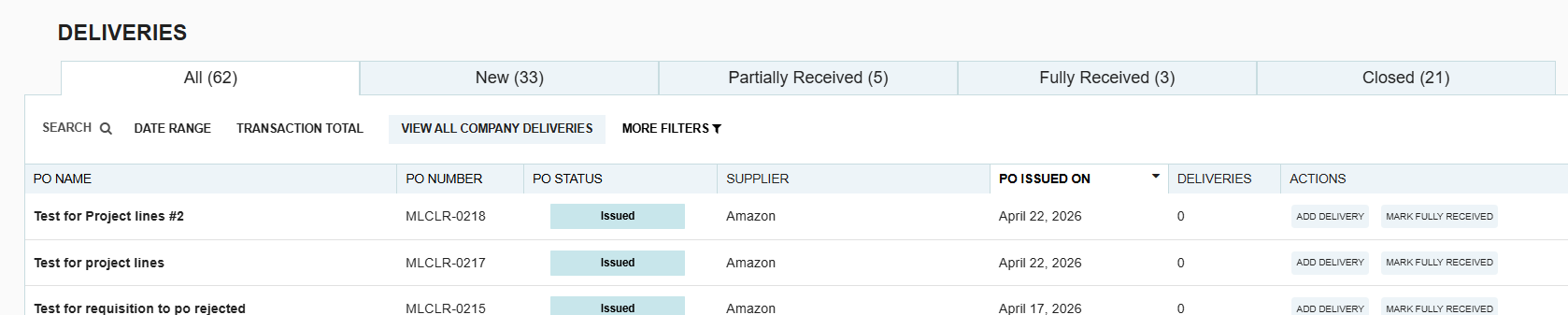
The Deliveries listing overview is designed to help you manage active shipments. Because of this, "Closed" documents are filtered out of the primary view.
- The "All" Tab: This tab only displays Open Purchase Orders. Once a PO is closed, it is automatically removed from this view to keep your workspace focused on pending tasks.
- The "Closed" Tab: This is where closed POs are stored, but with one major condition: A PO will only appear here if at least one delivery was recorded before the PO was closed.
The "Invisible" PO Scenario
If a Purchase Order is closed without any delivery information being entered, it will not appear in the "All" tab OR the "Closed" tab of the Deliveries overview.
In the system's logic, if no delivery was ever started, there is no "Delivery Record" to display in that specific module.
How to Fix This
If you need to add delivery information to a PO that has already been closed and is missing from the list:
- Navigate to the main Purchase Orders listing page.
- Locate the closed PO (you may need to filter by "Status: Closed").
- Re-open the Purchase Order.
- Once the PO is back in an "Open" status, it will immediately reappear in the Deliveries listing.
- Record the necessary delivery details and then re-close the PO.

.webp)
.png)


