

There is a moment in most growing companies when someone opens the purchase order template for the fourth time that week, changes the supplier name, changes the line items, and saves it with a filename ending in v2_final_USE_THIS.
Emailing a PDF purchase order to a supplier is not an electronic purchase order. It's the same document with a faster delivery method, and it carries the same limitation as the paper version: the file can't tell you whether it was approved, whether the goods arrived, or whether the invoice in accounts payable matches it.
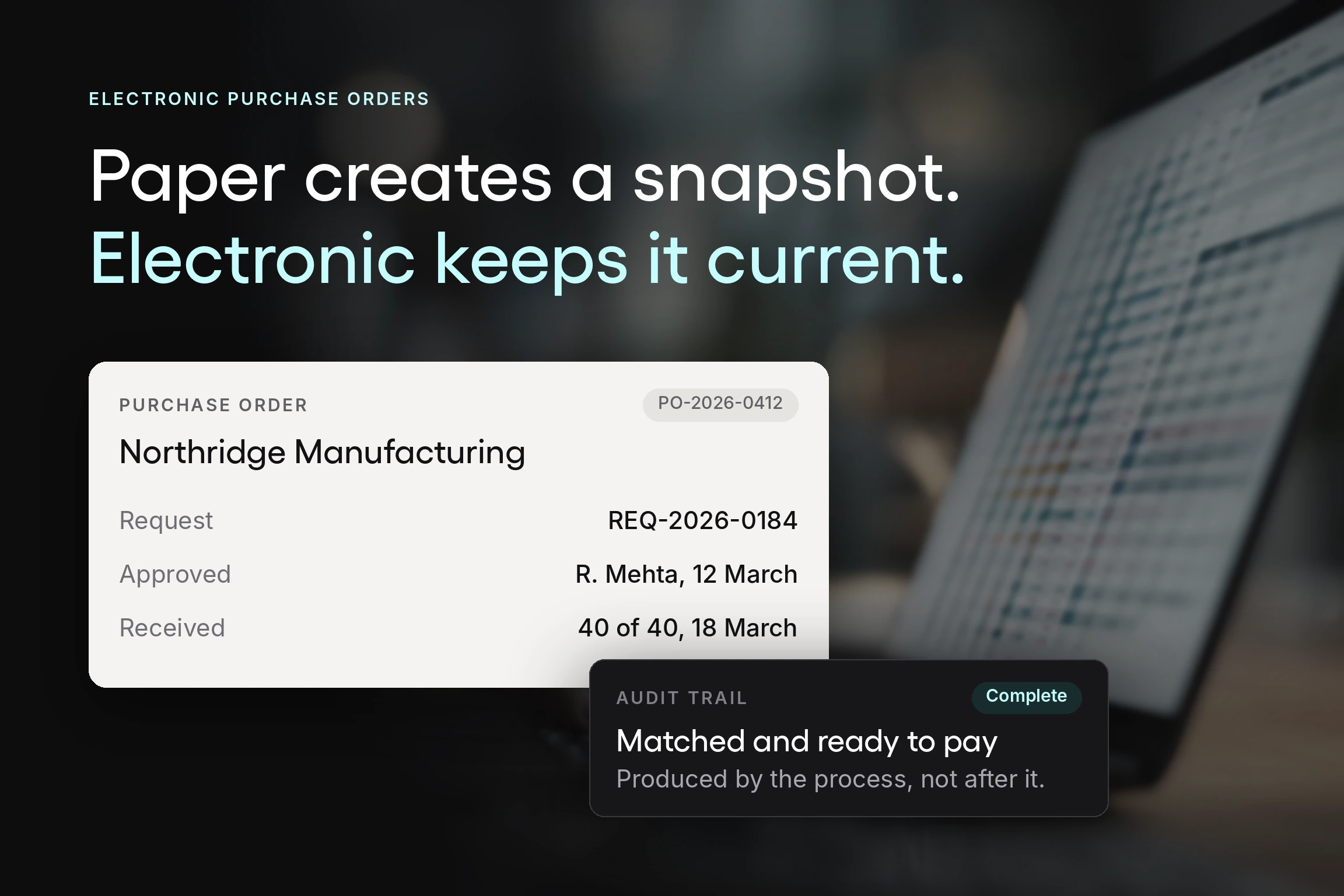
An electronic purchase order fixes that by changing what the document is. Instead of a file that gets copied and emailed, it becomes a live record everyone involved can see in the same state, with approvals attached and a direct link back to the original request and forward to the invoice.
This guide covers what an electronic purchase order is, how the entire purchase order process works end to end, what the benefits actually are in practice, and what to look for when you choose a system.
What is an electronic purchase order?
An electronic purchase order, often shortened to ePO or digital PO, is a purchase order created, approved, sent, and tracked within a software system rather than as a printed or emailed document.
Functionally, it does the same job as its paper predecessor. It is a legally binding document once the supplier accepts it, setting out what is being bought, in what quantity, at what price, on what payment terms, and to what delivery date.
What changes is that it exists as a single electronic document rather than as copies. Everyone involved sees the same version with its current status, approvals are recorded against it, and it links directly to the purchase request that created it and the supplier invoice that will eventually be matched to it.
That linkage is the whole point. A purchase order template produces a digital document. A purchase order system produces a record that other steps in the procurement process can reference, and it does so for both the buyer and the supplier.
Electronic purchase order versus purchase order template
The distinction matters because many teams believe they have already digitized when they have only moved from paper to a spreadsheet.
A purchase order template is a formatted file. It produces a consistent-looking document, and that is genuinely better than a handwritten form, but it carries no state. Nothing in the file knows whether it was approved. Nothing connects it to the budget it draws on. Finding last year’s orders for a given supplier means searching a shared drive rather than running a report, so nobody can track purchase orders without opening files.
A digital PO system holds the same information as structured purchase data. Because the details are fields rather than text, the system can route the order for approval, check it against a budget, compare it to an invoice, and report on it later. The document looks similar. What the electronic system can do is entirely different, and that's why a digital purchase order solution earns its place over a better-designed form.
How the electronic purchase order process works
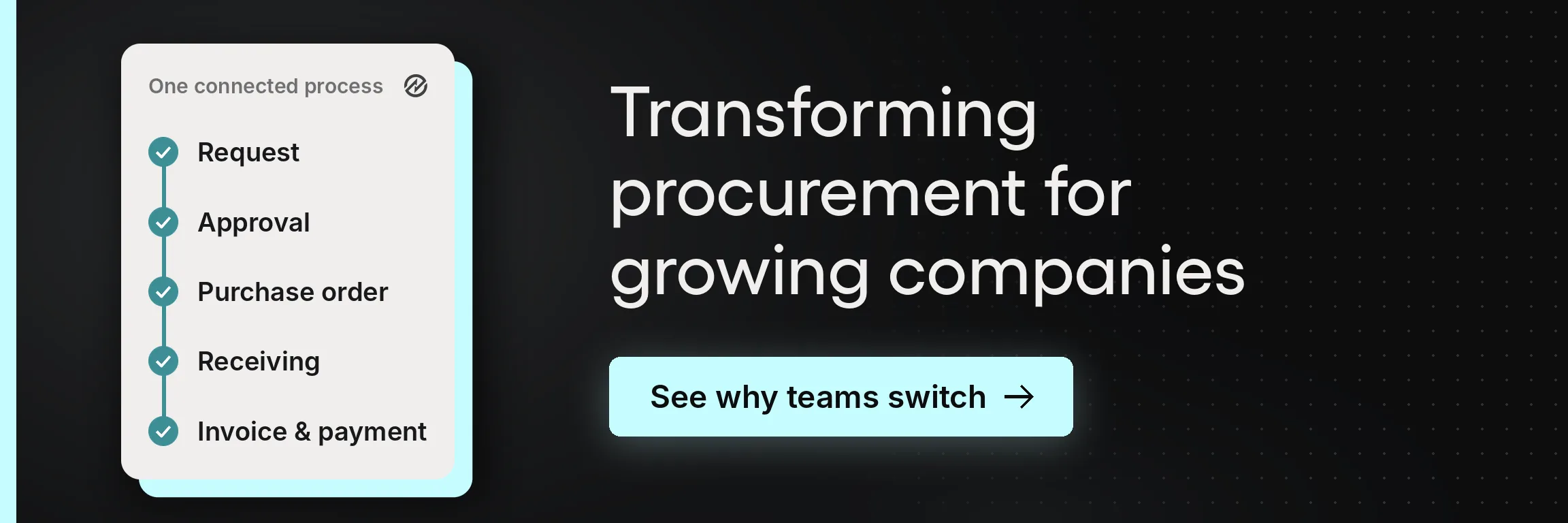
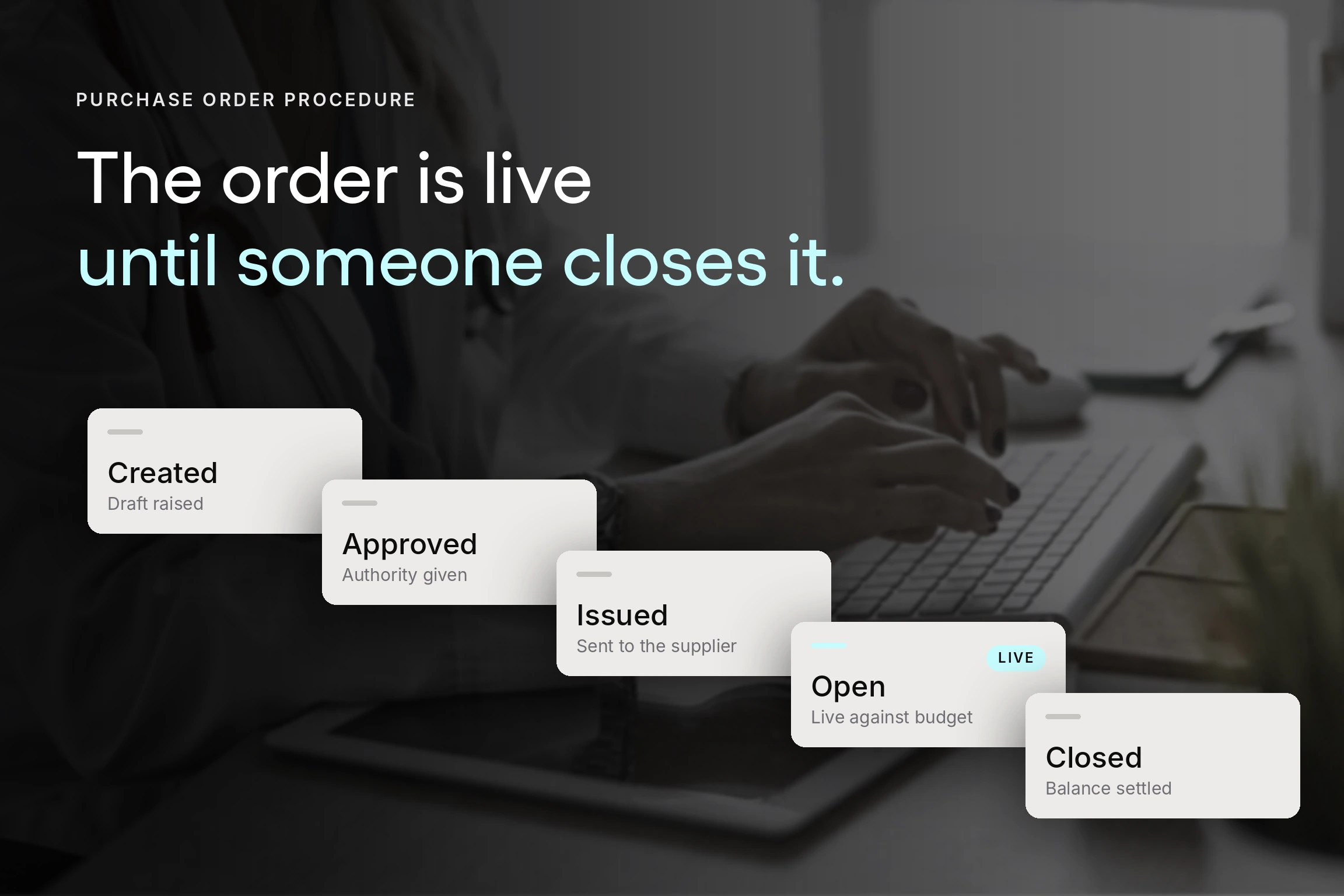
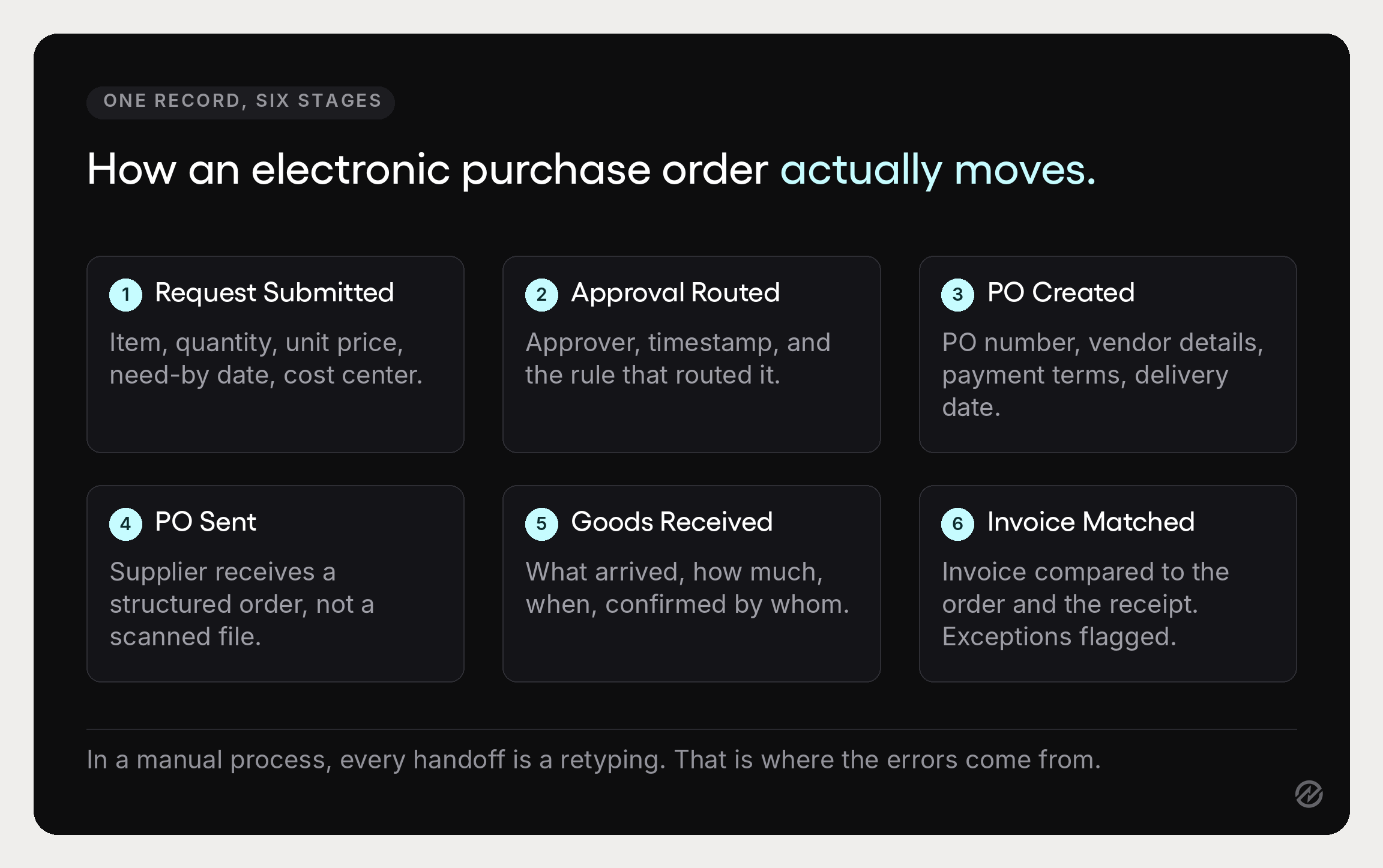
The full electronic purchase order process runs in six steps.
1. A purchase request is submitted. Someone identifies a need and submits a purchase request through a standard form covering item descriptions, quantities, unit prices, the required delivery date, and the budget or cost center it belongs to. Required fields matter here, because a complete request is what allows every later step to run without a clarifying email.
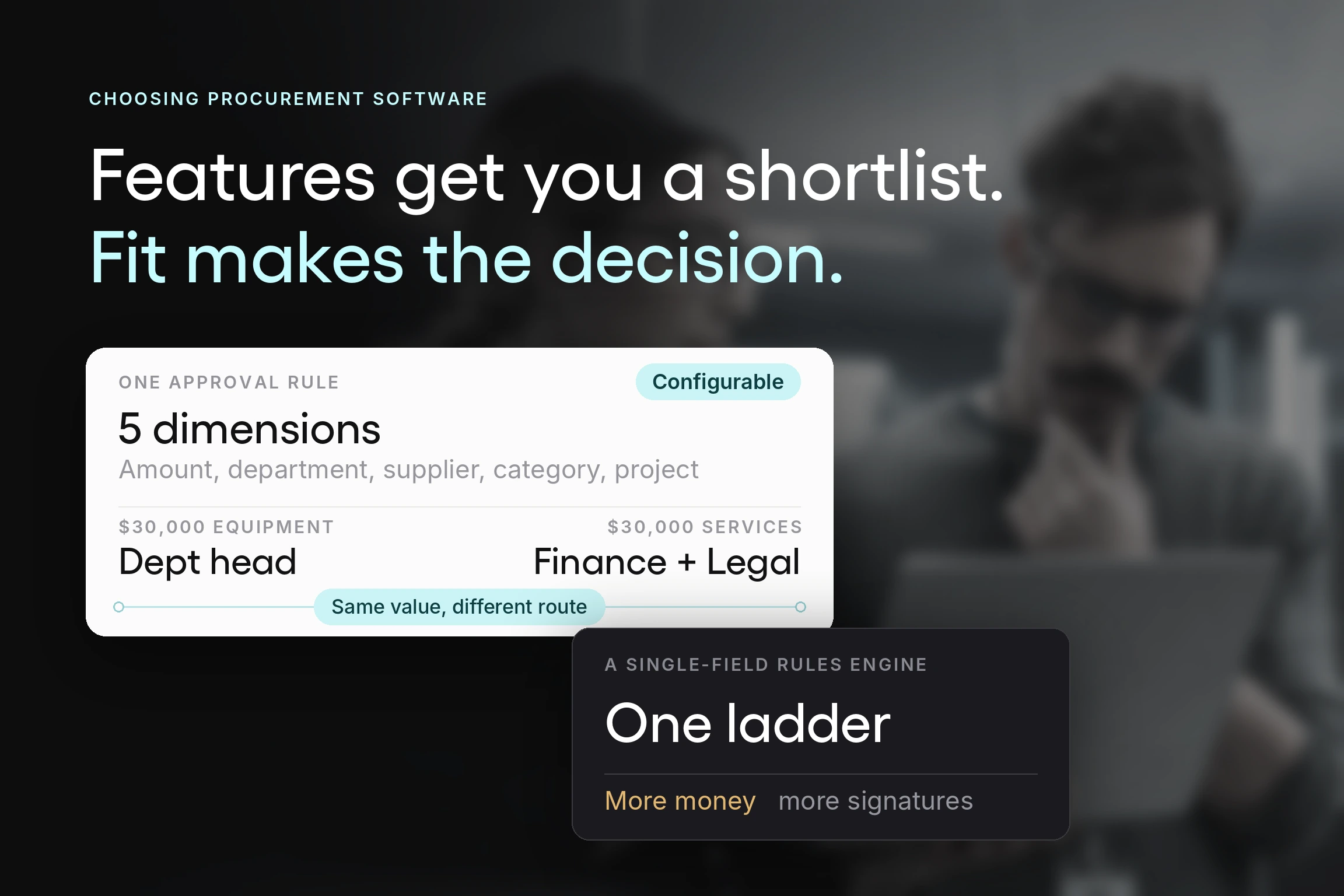
2. The request routes for approval. The approval process follows rules set in advance, not the requester’s judgment about who to copy. Requests route by value, department, project, supplier, or category. Automated approval workflows make this scale: a $200 stationery order and a $40,000 equipment purchase follow different paths without anyone deciding each time.
3. The purchase order is created. Purchase order creation happens from the approved request details rather than by retyping. The system assigns a purchase order number, applies the correct vendor details and payment terms, and produces the order document.
4. The order is sent to the supplier. Electronic delivery replaces printing, faxing, or attaching a file to an email. The supplier receives a structured order they can process directly, which is generally easier for them than a scanned PDF.
5. Goods or services are received. Whoever receives the delivery records what arrived against the order, which also keeps inventory management accurate for anyone carrying stock. This is the step most often skipped in manual processes, and skipping it slows the next step.
6. The invoice is matched. When the supplier’s invoice arrives, the system compares it against the purchase order and the receiving record. This is three-way matching, and when all three agree on price, quantity, and delivery, the invoice can move to payment without a person reading it line by line.
Each stage updates the same shared record, which is why real-time tracking is possible at all. Anyone with access can see where an order sits without asking.
Four key benefits of an electronic purchase order system
The benefits of an electronic purchase order system fall into four groups, and it's worth separating them because organizations tend to buy for one reason and get the most value from another.
1. Efficiency and accuracy
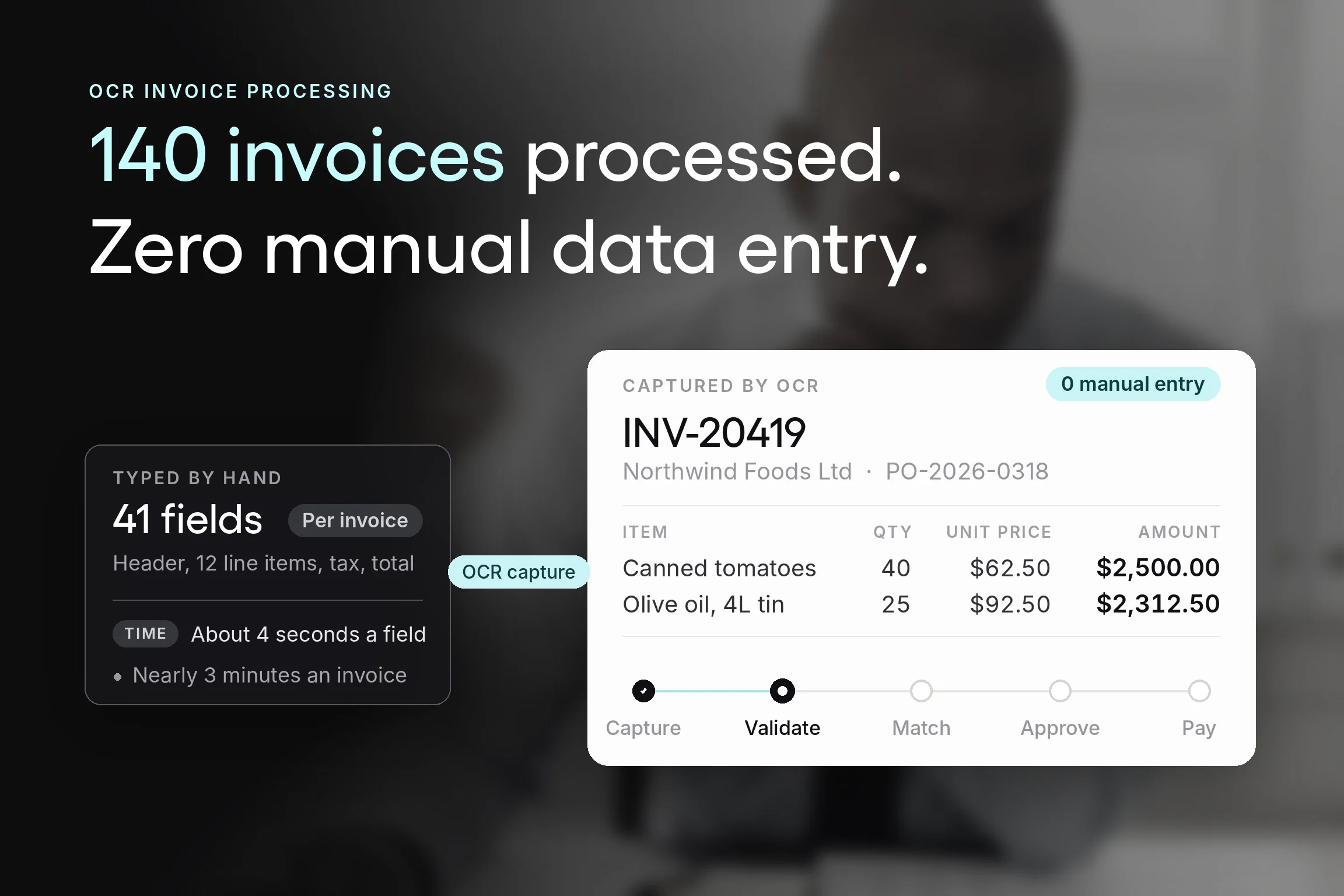
Removing manual data entry is the most immediate change. In a manual purchasing process, the same details get retyped at every handoff: from request to purchase order, from purchase order to the accounting system, from invoice back to the order for checking. Each retyping is an opportunity for human error, and a transposed quantity or a wrong unit price costs far more to correct later than it took to create.
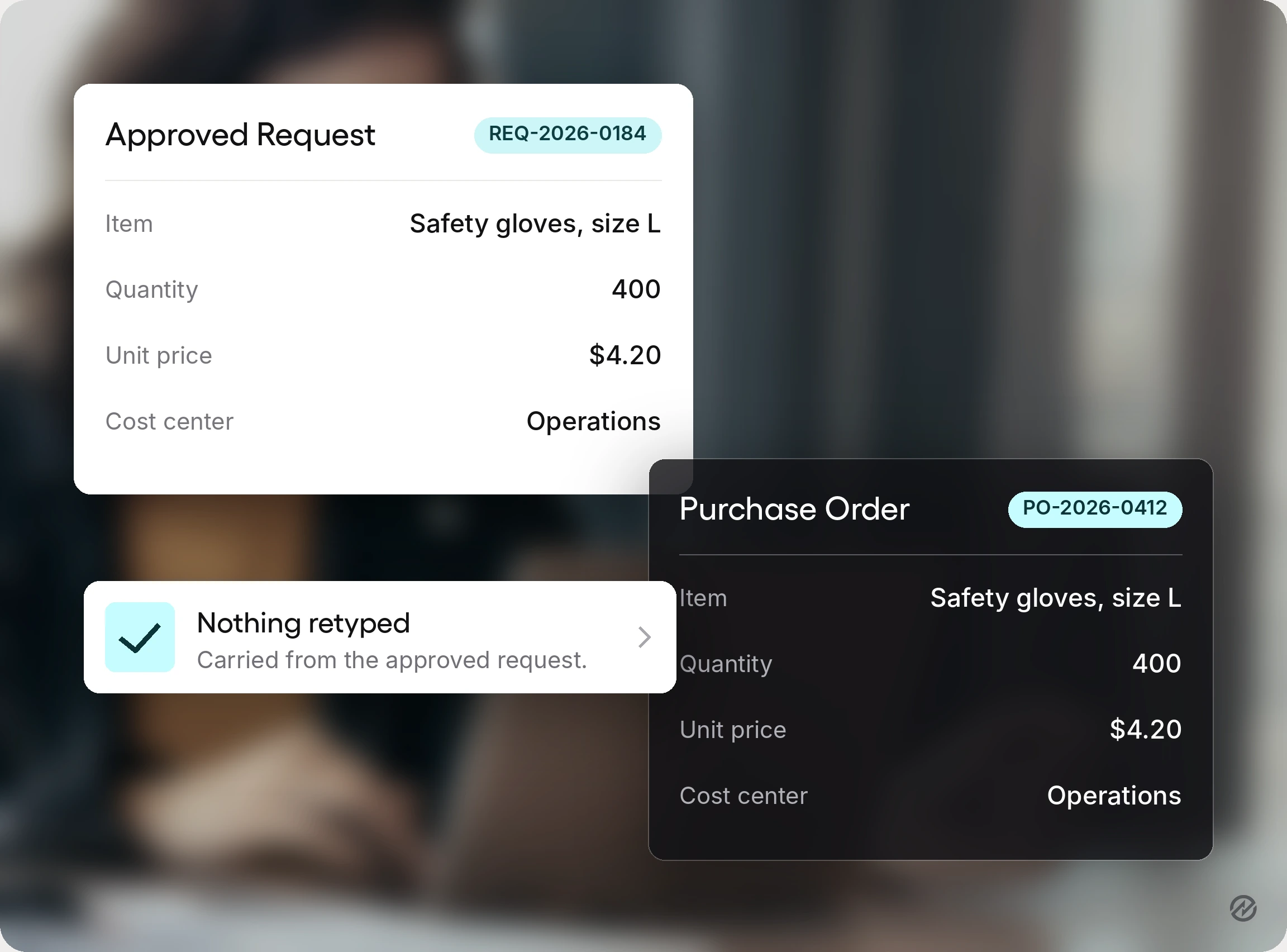
An automated system carries the data forward instead. The purchase order created from an approved request contains exactly what was approved, and every purchase aligns with what someone actually authorized. That alone does more to reduce errors than any amount of careful checking.
Speed follows from the same change. Approvals that used to wait for someone to return to their desk happen from a phone. Orders reach suppliers immediately rather than at the end of the day.
2. Cost savings and financial control
This is where the numbers get interesting. APQC benchmarking finds organizations spend anywhere from about $14 to more than $54 to process a single purchase order, and attributes the gap to execution rather than size: "these differences are largely driven by how procurement work is structured and executed.
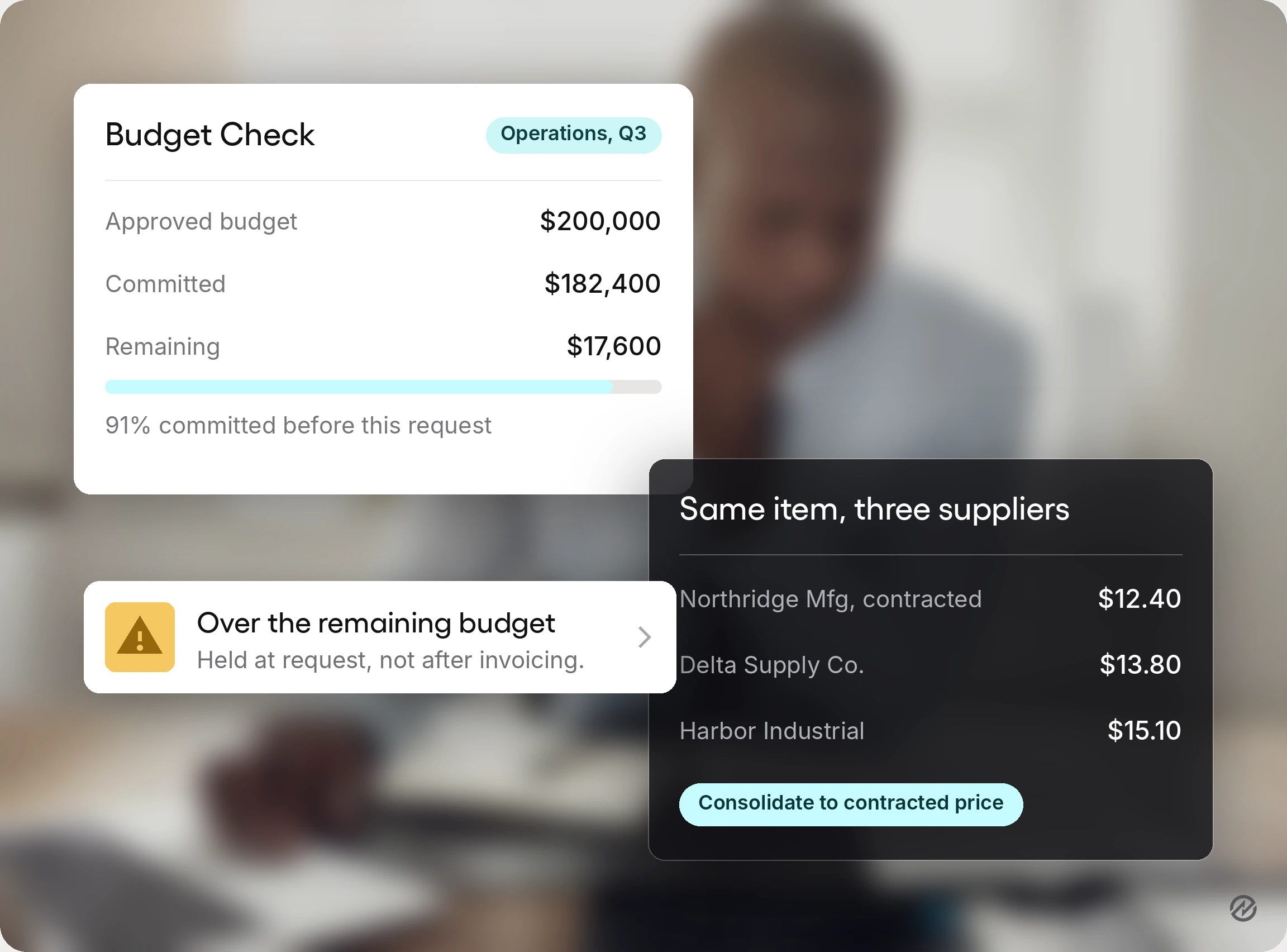
The savings come from two directions. Administrative cost per order falls because fewer people touch each one. And the cost of what you buy falls because purchase history becomes visible, letting you see when the same item is bought from different suppliers at different prices and consolidate to preferred vendors. Organizations that achieve significant cost savings from a digital PO system usually get them from the second, not the first, and consolidating like that is the entry point to genuine strategic sourcing.
Spend control tightens at the same time. Because requests are checked against budgets before approval rather than after invoicing, unnecessary purchases get caught while they are still requests. That is what it means to control spend rather than report on it, and it is the most direct way to control costs across organizational spend. Financial control in a manual process means reviewing what happened. In a digital purchase order system, it means deciding what happens.
3. Visibility and reporting
Real-time tracking means anyone can see an order's status without asking the purchasing department. For the requester, that answers the question they would otherwise email about. For the procurement team, it removes most of the status chasing.
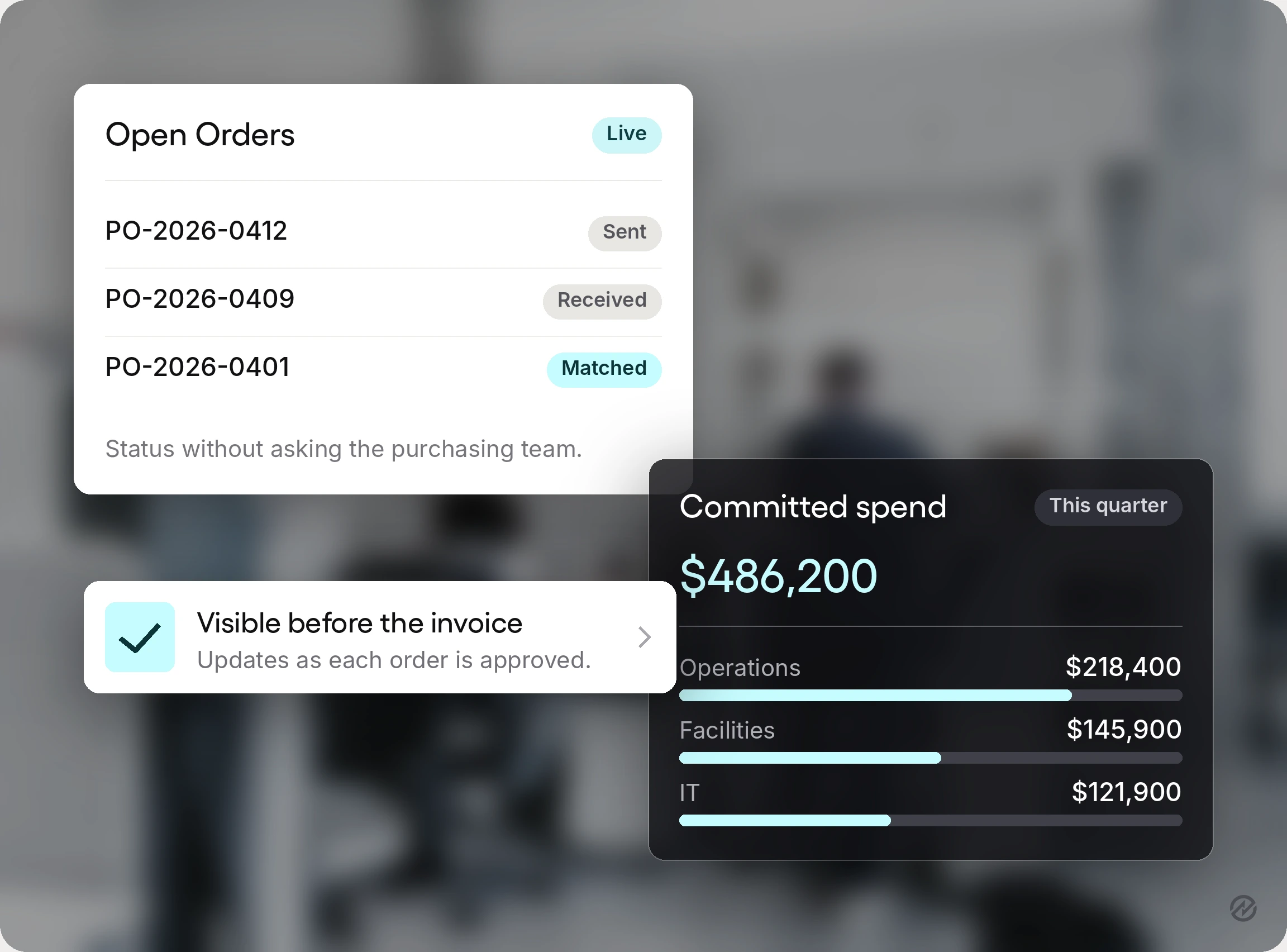
For finance, it means committed spend is visible before the invoice lands, which is the figure most spreadsheets cannot produce and the one that makes cash flow planning something other than a guess. Knowing what is committed and roughly when the invoices will arrive also makes early payments a deliberate choice rather than an accident.
The reporting layer follows. Because every order is structured purchase data rather than a document, you can report on spend by supplier, by category, by department, and over time. Purchase history that used to require someone opening files becomes a query, and financial data that used to live in documents becomes something you can track spending against. That is also what makes supplier performance measurable: on-time delivery and fill rate are calculable only when orders and receipts are recorded against each other.
4. Compliance and audit readiness
Every electronic purchase order carries a complete audit trail: who requested it, who approved it, when, which budget it hit, and what changed. Because the process creates the record rather than assembling it afterward, it is complete by default.
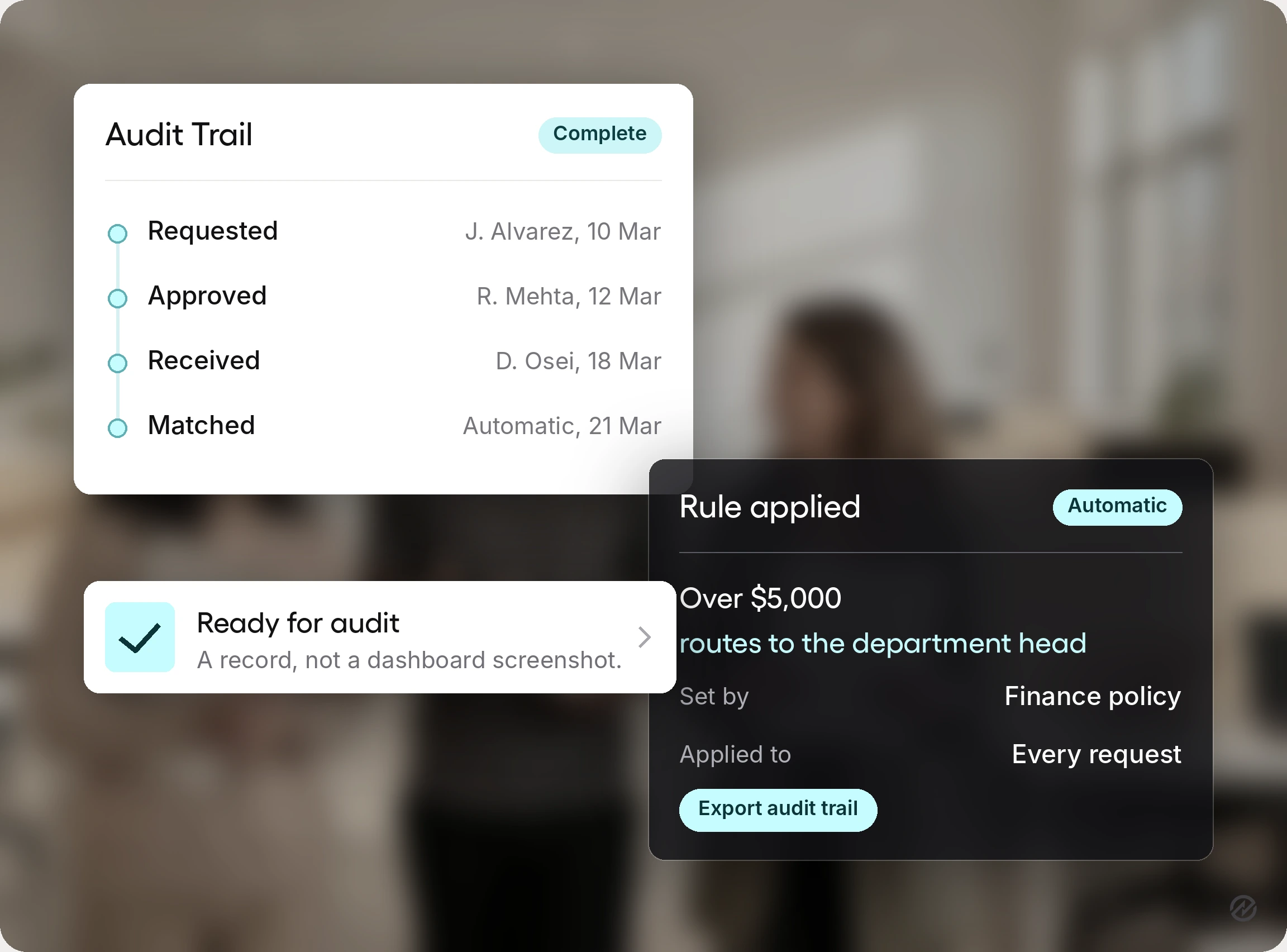
For organizations that need to enforce compliance with internal policy or external regulation, this is usually the decisive benefit, and it is the most reliable way to ensure compliance without adding a reviewer to every request. Automated workflows apply approval thresholds by rule rather than memory, and approvers see a consistent record rather than a forwarded email. Orders route to preferred vendors. Purchases outside policy become visible immediately rather than at year-end.
Key features to look for in purchase order software
Not every system does all of this, and the gaps are rarely obvious from a feature list.
Configurable approval workflows. Routing by value alone is not enough for most organizations. Look for routing by department, project, supplier, category, and combinations of those, plus a clear way to handle delegation when an approver is away.
Budget checks before approval. The system should compare a request against the relevant budget at the request stage and show remaining and committed amounts. Without this, you have automated the paperwork and kept the overspending.
Three-way invoice matching. The system should compare the supplier invoice against the purchase order and the receiving record automatically, and flag only the exceptions. This is the capability that changes what the accounts payable team does all day.
Integration capabilities. Confirm how the system connects to your accounting software, whether that is QuickBooks, Xero, NetSuite, or a full enterprise resource planning platform. Ask which records sync, in which direction, and what happens when someone edits a record on the accounting side.
Catalogs and preferred vendors. For recurring items, a catalog with agreed pricing removes both the sourcing step and the pricing question from routine purchases. Good supplier management sits underneath this, since the catalog is only as good as the supplier record behind it.
Receiving management. Recording what arrived has to be simple enough that people in a warehouse or on a site actually do it, which usually means mobile access.
Reporting you can configure yourself. If producing a spend report by supplier requires a support ticket, it will not happen often enough to be useful. This is also what gives a finance lead something close to complete control over the purchasing picture.
Audit trail export. Ask to see a real exported record of a completed purchase rather than a dashboard screenshot.
Connecting to accounting and existing systems
PO software sits in front of your accounting software rather than replacing it. Purchasing, approvals, and receiving happen in the procurement system, and the approved, matched result flows into accounting as a bill ready for payment.
That division of labor is what makes effective integration achievable without a systems team. Full ERP suites do include purchasing modules, but those are designed for organizations with dedicated administrators, and the configuration effort scales accordingly. A connected purchase order layer gives you the controls without rebuilding the accounting stack.
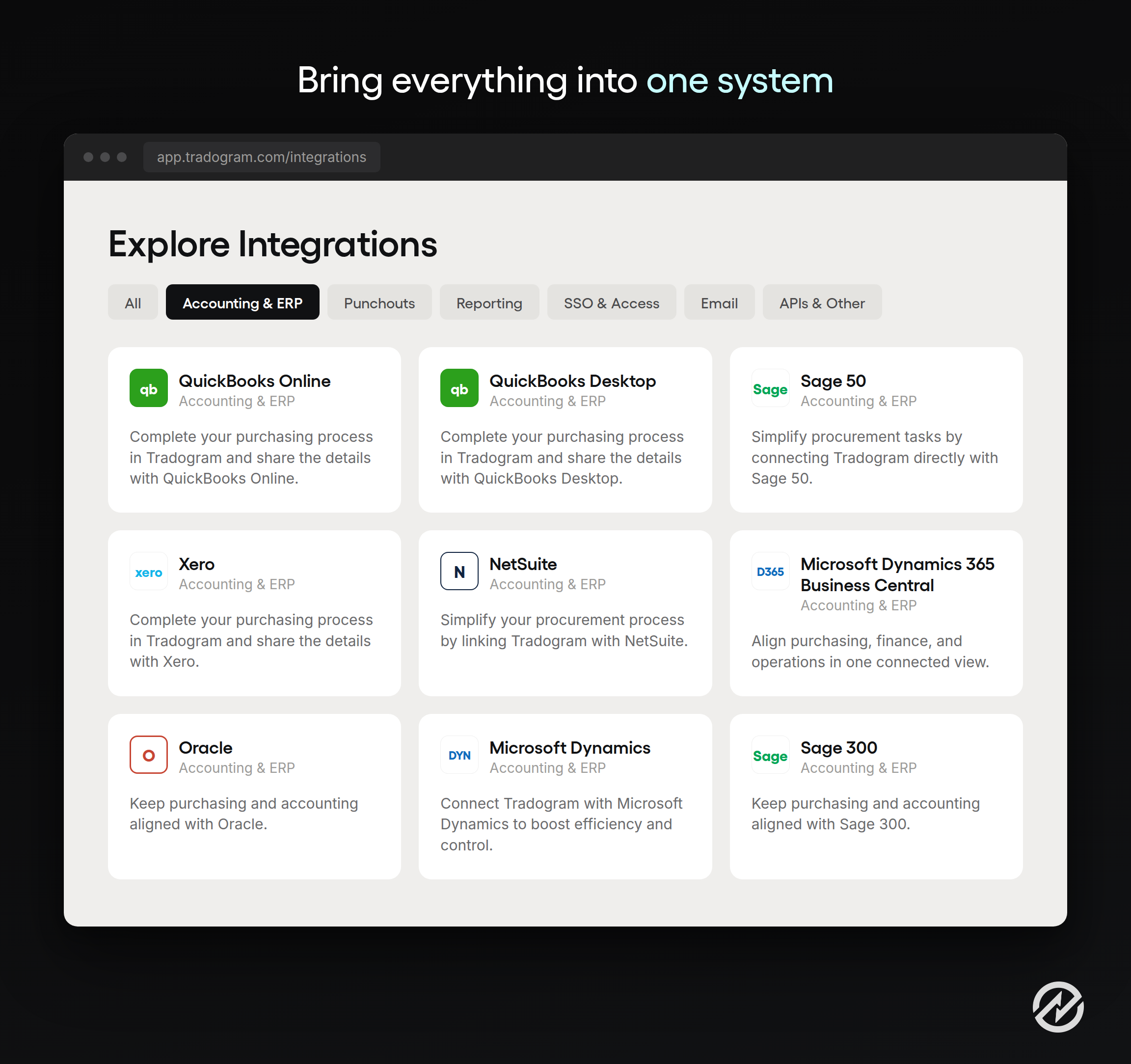
The practical questions are narrow. Does supplier data sync in both directions or only one? Do approved purchase orders push across, or only invoices? How are the chart of accounts and cost centers mapped? What happens when a record is edited on the accounting side? Vendors who answer those specifically are the ones whose procurement integrations hold up once you are live.
Moving from paper or templates to a digital PO system
At Tradogram, we have helped thousands of organizations move purchasing off templates, and the implementation pattern that works is narrower than most rollout plans.
Build the case with your own numbers first. Count how many purchase orders you raise a month, how long approvals take, and how many invoices arrive without a matching order. Those three figures make the argument better than any benchmark.
Standardize before you configure. If two departments follow different purchasing workflows for no defensible reason, converge them before building the rules. Configuring a process nobody agreed on produces an automated disagreement.
Set approval thresholds deliberately. Start with the rules that cover most purchases. Resist the urge to encode every exception the business has ever made.
Load the data that matters. Suppliers, preferred items, payment terms, and budgets. Organizations with a complex supply chain should expect this step to take longer than the configuration itself. Incomplete supplier or item data is the most common reason a launch feels worse than the old process.
Test with real scenarios. Run a genuine purchase end to end, including a deliberate invoice mismatch, before going live.
Train on the workflow, not the software. People need to know what happens to their request and who sees it, not where every button is.
Set a cutover date. Running both processes indefinitely produces two partial records and destroys the reporting the change was meant to enable.