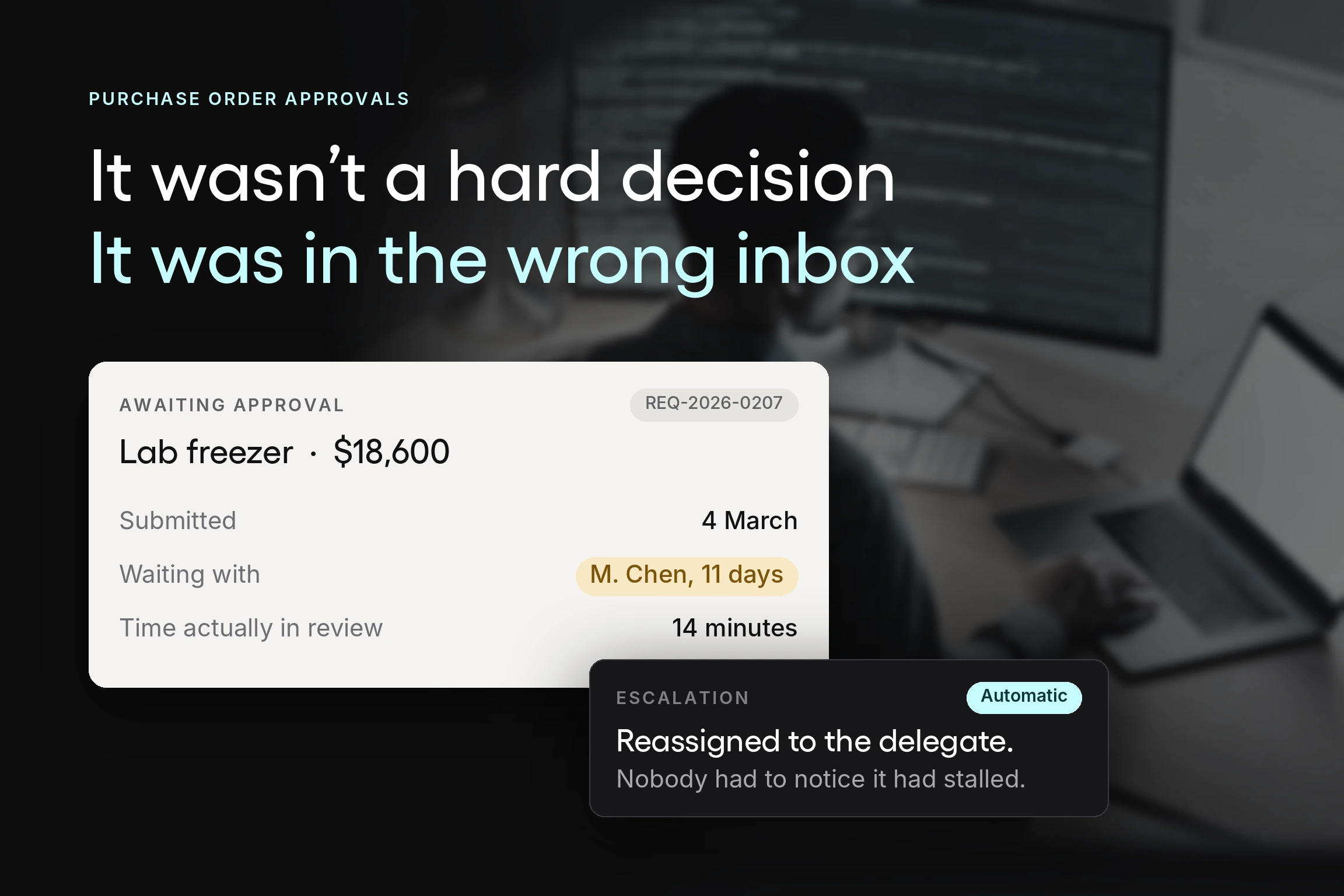


Ask a procurement lead why a purchase took three weeks, and you will rarely hear “the review was difficult.” You will hear that it sat. In an inbox, behind someone on vacation, or with an approver who was never the right person to ask.
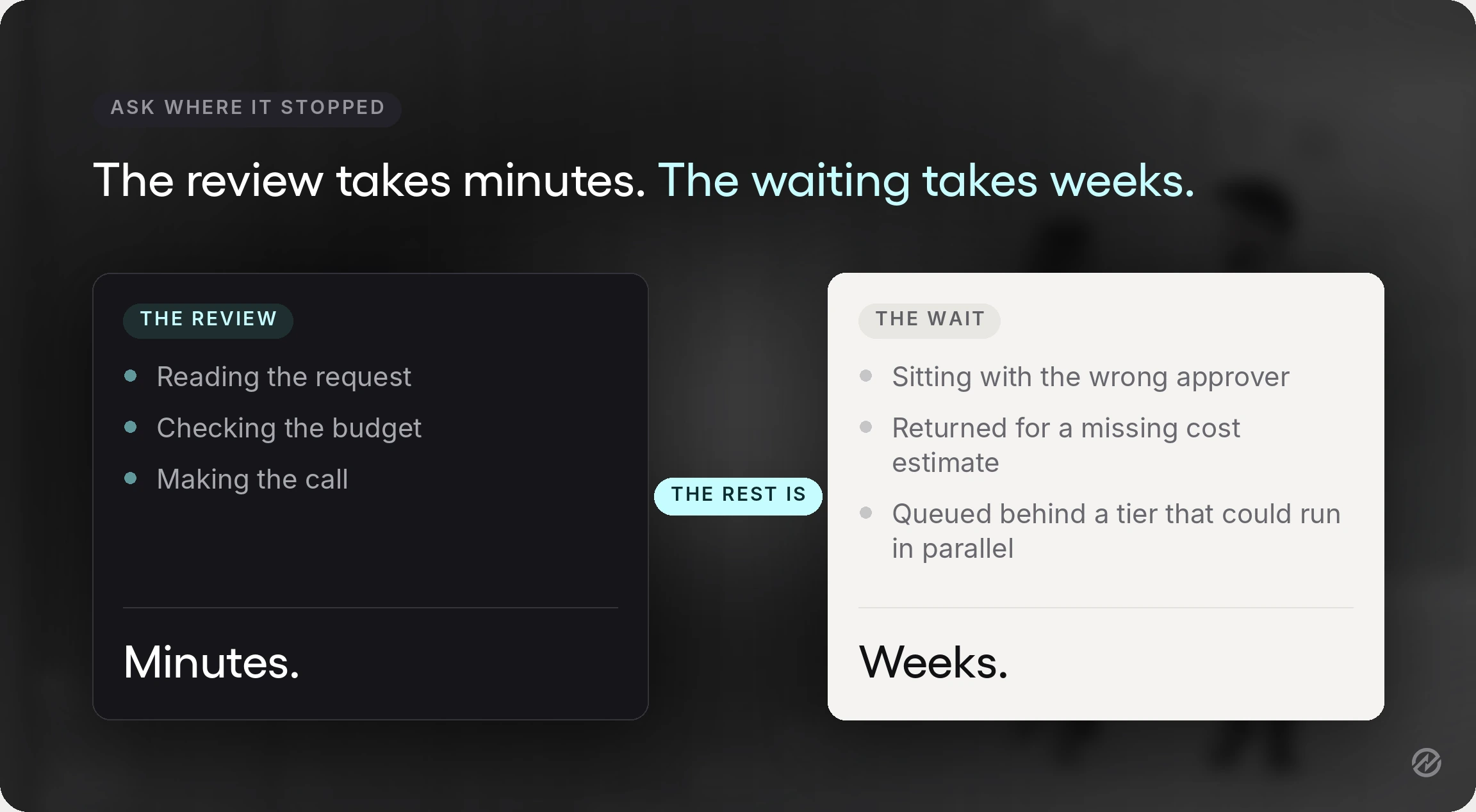
That is the honest shape of most approval delays. The reviewing takes minutes. The waiting takes weeks. And because the waiting happens across email, spreadsheets, and a policy document nobody has opened since onboarding, nobody can point to where it stopped.
A purchase order approval workflow fixes that by making the path explicit: who approves what, at which amount, in what order, and what happens when someone does not respond. At Tradogram, we have helped hundreds of organizations digitize their procurement processes, and approval design is consistently the change with the shortest path to a visible result.
This guide covers why approvals stall, how the purchase order approval process works end to end, how to set approval hierarchies and thresholds, what changes when you automate, and how to evaluate purchase order approval software if you get that far.
Key Takeaways
- Most approval delays are a routing problem, not a workload problem. The review itself usually takes minutes. Elapsed time comes from requests sitting with the wrong person, waiting on a sequential tier that could run in parallel, or bouncing back because the request was incomplete. Fixing the routing fixes most of the delay.
- A purchase order approval workflow is the control that decides whether spend is governed or merely recorded. Approvals that happen before the purchase order is issued prevent unauthorized purchases. Approvals reconstructed afterward produce paperwork without financial control.
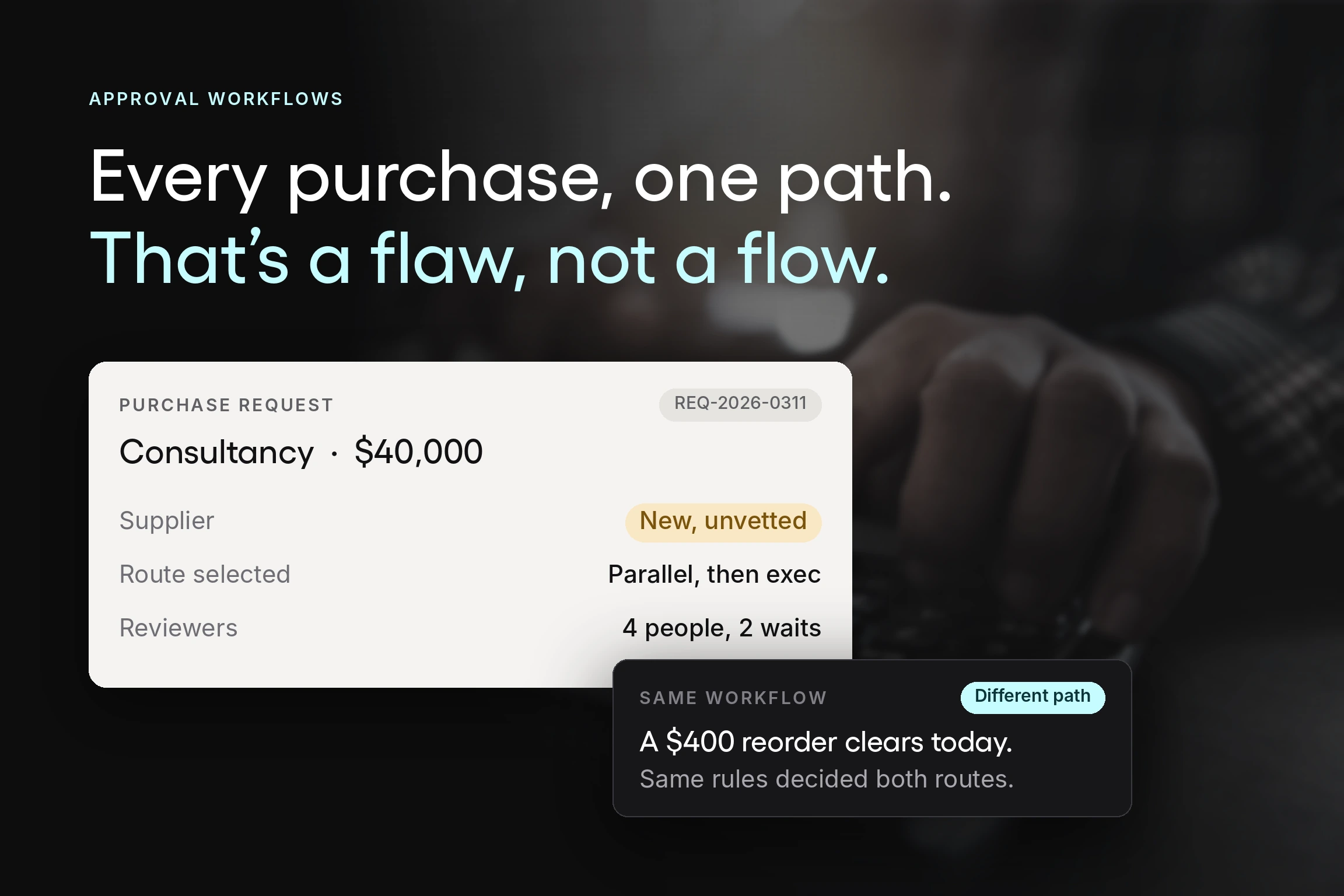
- Approval thresholds should reflect risk, not org chart seniority. A recurring renewal from a contracted supplier and a first-time purchase from an unvetted one deserve different scrutiny at the same dollar value. Approval rules that cannot make that distinction get applied inconsistently or quietly ignored.
- Automation is worth it when it enforces rules you have already written down. Routing on amount and department, escalating when an approver is unavailable, and recording every action for audit readiness are mechanical tasks. The judgment stays with the approver, which is the part worth protecting.
- Adoption decides whether any of this works. In PwC’s 2024 Digital Procurement Survey, user take-up was identified as one of the most limiting factors in procurement digitalization. A workflow that requesters find harder than sending an email will be routed around, and a workflow that is routed around controls nothing.
Why purchase order approvals stall
Before designing a better workflow, it helps to name what is actually going wrong. Four patterns account for most of it.
Nobody owns the next step. A request arrives, and it is unclear whether it needs the department head, finance, or both. Requests then wait for approvals they never needed or skip approvers who should have seen them.
The request arrives incomplete. No estimated cost, no budget line, no justification. The approver cannot decide, so they ask, and the round trip costs more elapsed time than the review ever would.
Sequential tiers that should be parallel. A three-stage approval chain where each reviewer waits for the one before turns three short reviews into a multi-week process, even when none of the reviewers depend on each other’s decision.
No visibility into approval status. The requester cannot see where their request is, so they chase it. Chasing pulls approvers away from approving, which slows the queue further and quietly erodes operational efficiency across procurement operations.
We go deeper into diagnosing these symptoms, including what to look at first when purchases are stuck, in our guide to fixing slow and fragmented approval workflows. The rest of this guide is about the structure that prevents them.
What is a purchase order approval workflow?
A purchase order approval workflow is the defined sequence of reviews a purchase request passes through before a purchase order is issued to a supplier. It establishes who reviews a request, on what criteria, in what order, and what has to be true before the organization commits money.
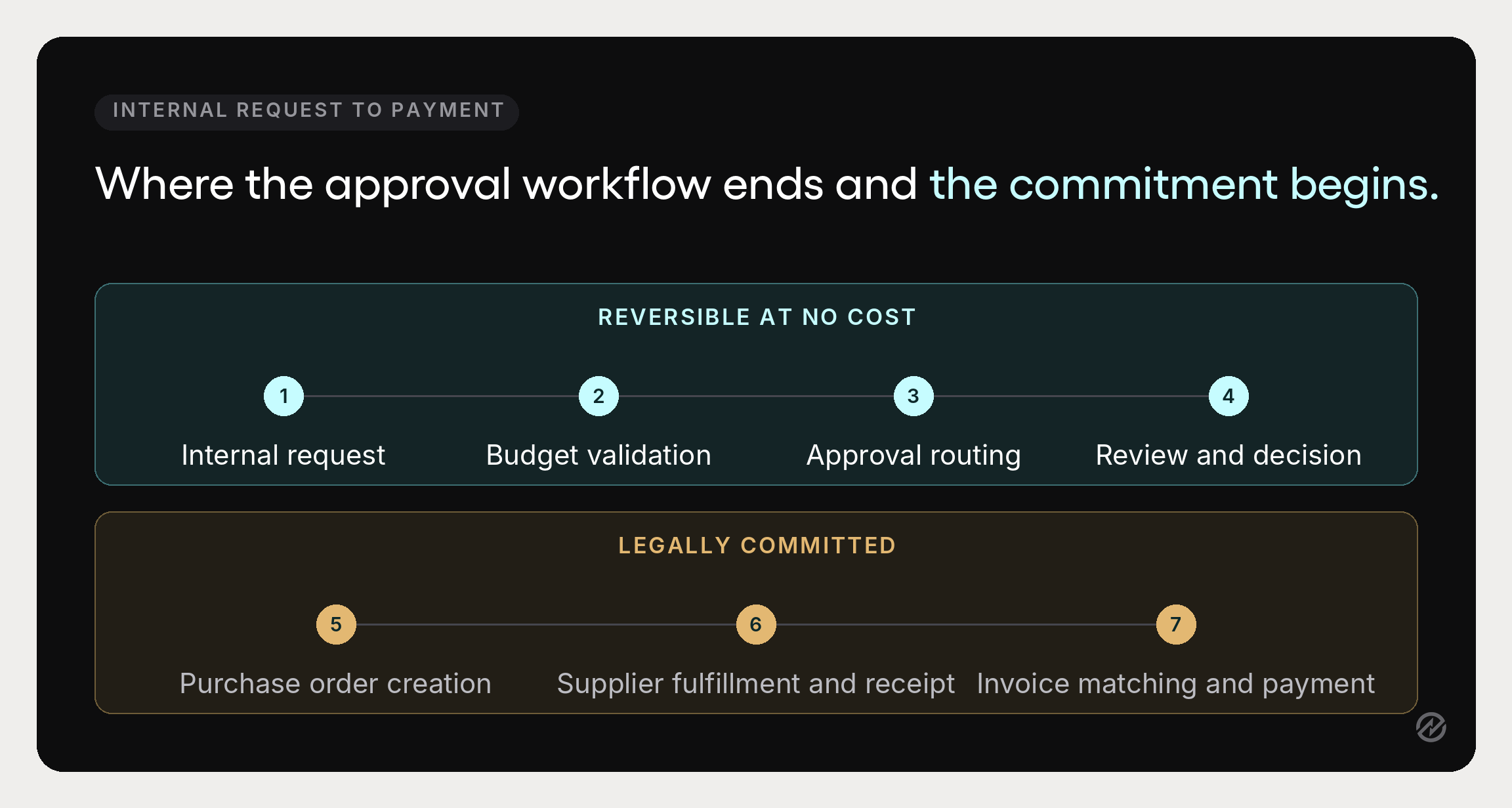
The distinction that matters: a purchase order is a legally binding document once the supplier accepts it. Everything before that point is reversible at no cost. The approval workflow is the organization’s last chance to say no cheaply, which is why approvals belong before purchase order creation, not after.
A solid PO approval workflow does four things a verbal or email sign-off cannot:
- Applies approval policies consistently, so the same rules govern every department rather than depending on who is asking.
- Prevents unauthorized spending by requiring that someone with approval authority agrees before a commitment exists.
- Creates spend visibility into pending approvals and approved requests, so finance teams and finance leaders can see commitments against their financial plans before invoices arrive.
- Produces reliable audit trails, a timestamped record of who approved what, against which budget, and when.
The purchase order approval process, step by step
The PO approval process runs in seven stages, and the middle stages are where procurement policies actually get applied. Many organizations formalize only some of them, and the ones they skip are usually where the control should be.
1. Internal request
Someone identifies a need and submits a purchase requisition with the item, quantity, estimated cost, budget line, and business justification. This is an internal request, not a commitment, and it is where the purchasing process should always begin.
2. Budget validation
Before anyone reviews the merits, the system checks the request against departmental budgets, including commitments already approved but not yet invoiced. A request that fails this check should surface it here, not at quarter close.
3. Approval routing
The request routes to the appropriate approvers based on predefined rules: amount, department, category, GL code, project, or location. Approval notifications are sent, and the request remains visible to the requester throughout.
4. Review and decision
Approvers confirm the purchase aligns with budget, policy, and operational priorities, then approve, decline, or return it for more information. Rejected requests should carry a recorded reason so the pattern is visible later.
5. Purchase order creation
Once approved, the approved requisition becomes a purchase order. PO creation should inherit line items, quantities, prices, and terms directly, since retyping is where order errors originate.
6. Supplier fulfillment and receipt
The supplier accepts the purchase order and delivers. Whoever receives records what actually arrived, in what quantity and condition, linked to the purchase order using receiving management software.
7. Invoice matching and payment processing
The vendor invoice is compared against the purchase order and the receiving record. That three-way match is what catches price and quantity differences during invoice processing, before payment processing releases funds.
Stages five through seven sit outside the approval workflow proper, but they are the reason it matters. A purchase order that was never properly approved gives accounts payable nothing trustworthy to match against.
Approval hierarchies, thresholds, and the approval matrix
This is the design work. Everything else is implementation.
Set clear approval thresholds
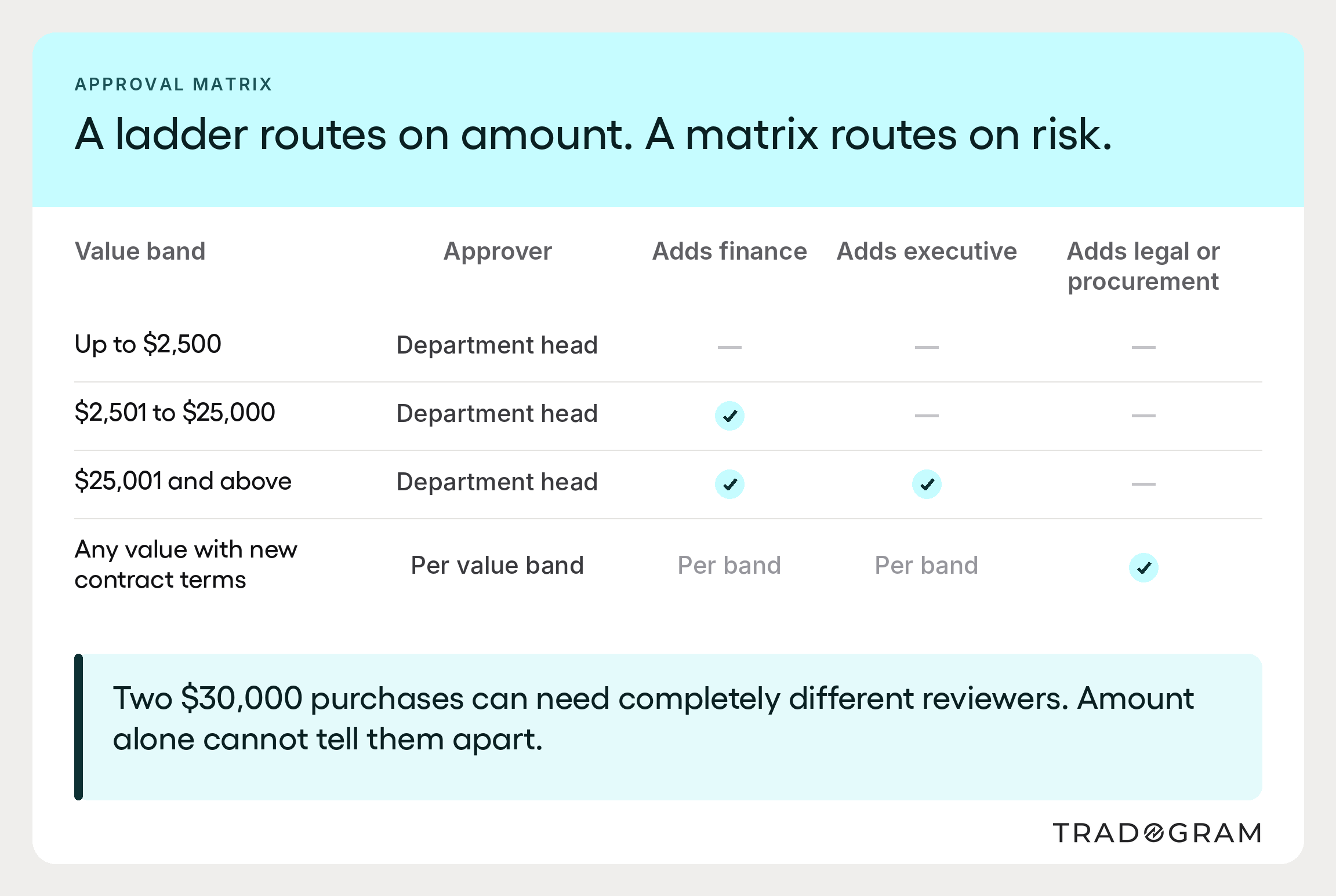
Approval thresholds define the value each role can authorize without escalating. Write them as a table, not a paragraph buried in a policy document:
- Up to $2,500: department head
- $2,501 to $25,000: department head plus finance team review
- $25,001 and above: adds executive approval
- Any value involving new contract terms: adds legal or procurement review
Monetary tiers are the easy part. The judgment is in setting them where they reflect real financial risk. Thresholds set too low generate approval volume nobody has time for, which is how rubber-stamping starts. Set too high, they leave meaningful spend ungoverned.
Build an approval matrix, not just a ladder
Approval hierarchies based on amount alone are a ladder. An approval matrix adds other dimensions that change who should review: category, department, supplier, and project. Capital equipment and professional services can both cost $30,000 and need entirely different reviewers.
The matrix makes approval logic explicit. It should be short enough that a department head can hold it in their head, which in practice means applying fewer rules consistently rather than many rules selectively.
Decide the shape of each path
Single-level. One approver. Right for low-value requests inside an agreed budget.
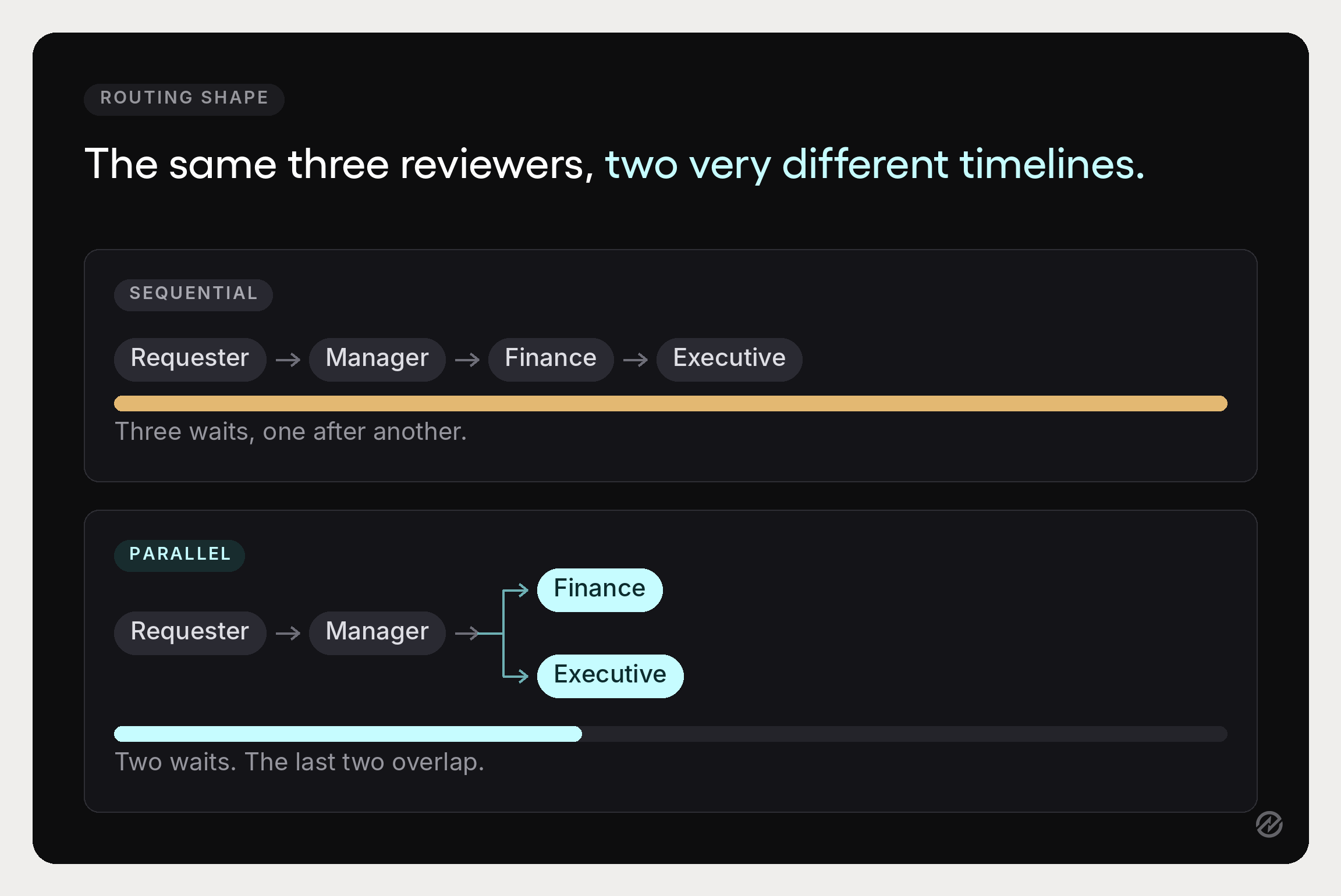
Multi-level. Sequential tiers, typically manager then finance then executive. Necessary above a threshold, and the main source of approval bottlenecks because each tier adds waiting rather than reviewing.
Parallel. Two or more approvers review simultaneously. Appropriate whenever reviewers do not depend on each other’s decision, and the most underused option in most approval chains. Converting one sequential stage to parallel is frequently the single largest cycle-time saving available.
Plan for absence
Every rule needs an answer to what happens when nobody responds. Automatic escalation after a set period and delegation when an approver is unavailable keep approval delays visible instead of silent. Without them, one person’s vacation stalls a department and nobody notices until someone asks.
Separate the duties
The person who requests a purchase should not be the person who approves it, and neither should be the person who pays the invoice. Segregation of duties is the oldest control in procurement and still the most effective at preventing fraud because it requires collusion rather than opportunity alone.
How to optimize a purchase order approval workflow
Six changes, in the order that tends to produce results fastest.
1. Map the workflow you actually have
Not the one in the policy document. Walk a real request through end to end and write down each stage, who touches it, how long it waits, and where it bounces back. Sarah Wilson, Fractional COO and founder of Brightpoint Operations, recommends documenting “what the process involves, who the stakeholders are, what success looks like, potential problems, and frustrating aspects” at each step. The gap between the documented process and the real one is usually where delays live.
2. Standardize the request
Most rejected requests are not rejected on merit. They are returned because something was missing. Standardizing required fields on purchase requests, estimated cost, and budget line above all, removes the most common round trip and lifts first-pass approval rates without touching the approval rules at all.
3. Write the approval rules down and publish them
Approval policies that live in one person’s head are not policies. Publishing the matrix does two things: it stops requesters guessing who to send things to, and it makes it obvious when the rules no longer match how the organization operates.
4. Attack the slowest stage, not the whole chain
Measure time per approval stage before changing anything. One stage almost always accounts for most of the elapsed time, and it is rarely the one people assume. Converting that stage to parallel approvals, or raising the threshold beneath it, usually beats redesigning the entire chain.
5. Automate approvals at the routing layer, not the judgment layer
Automated workflows replace the manual work of deciding where a request goes, chasing approvers, and assembling an audit trail. When teams automate approvals, that routing layer is the part worth handing over. The review itself is not. The goal is that appropriate stakeholders see the requests they should see, quickly, with the information they need.
6. Review the data quarterly
Approval data tells you whether the design still fits. Cycle time by stage, first-pass approval rate, and the share of spend that went through the process are the three worth reporting. Procurement leaders who review these quarterly catch drift before it becomes a rewrite.
Where the approval workflow fits in the wider purchase order workflow
Approvals do not exist on their own. They sit inside a purchase order workflow that runs from sourcing a supplier through requisition, approval, ordering, receiving, invoicing, and reconciliation. Optimizing approvals while leaving the stages around them disconnected produces a fast decision followed by the same slow everything else. The full sequence is covered in our guide to the procurement process.
Sarah Wilson, Fractional COO and founder of Brightpoint Operations, describes the failure pattern precisely: a purchase order workflow “breaks down in predictable places: unclear approval authority, orders raised after the fact, and budgets nobody checks.” Approval design addresses the first of those three. The other two are what the surrounding workflow has to handle.
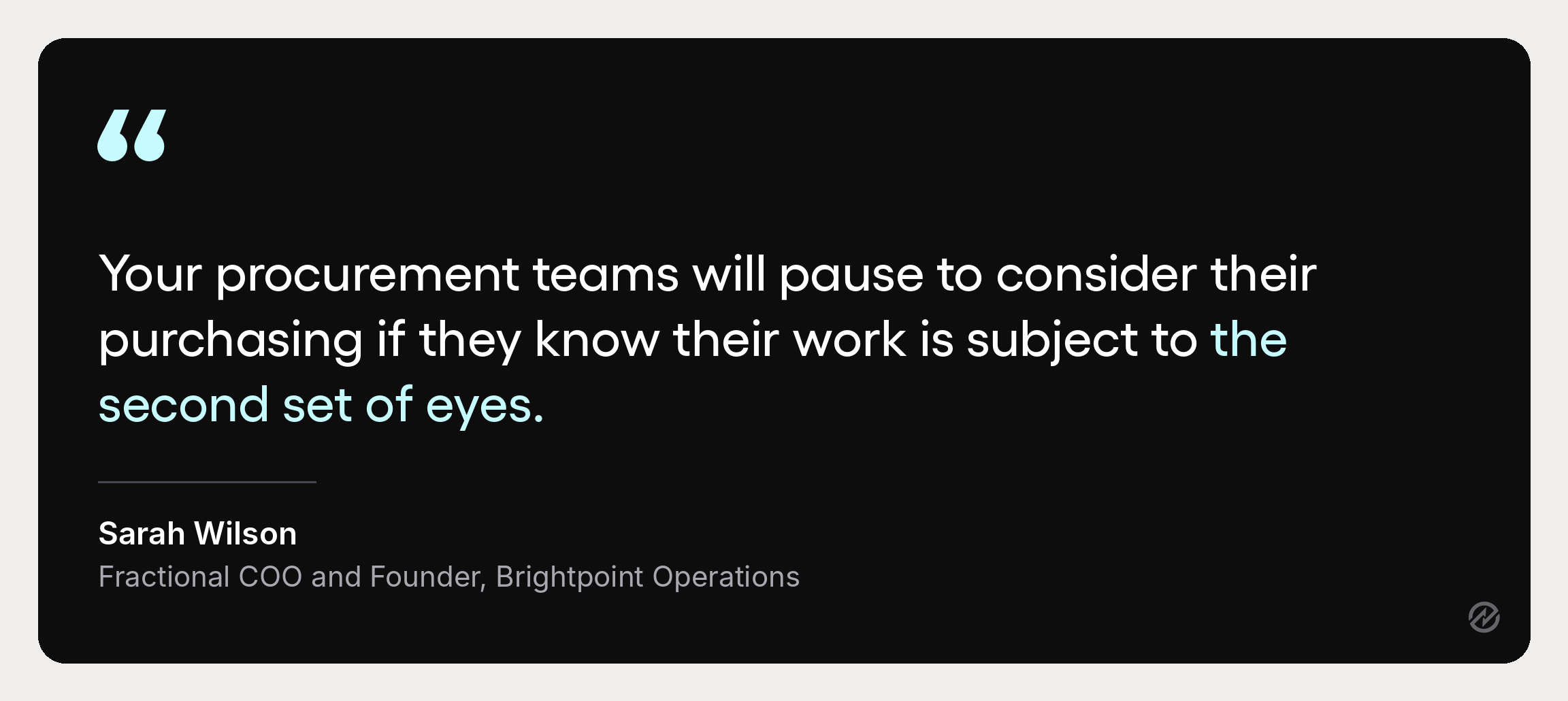
Budgets. Approvals without budget data are opinions. As Wilson puts it, “Your procurement teams will pause to consider their purchasing if they know their work is subject to the second set of eyes,” and that pause is far more useful when the second set of eyes can see what is left in the budget. Connecting approval to budget and spend control is what turns a sign-off into financial oversight.
Reconciliation. Wilson calls reconciliation “an essential final step in your purchasing workflow to ensure that you got what you ordered and only paid for what you got.” That step depends on a purchase order with a number existing before the goods arrive. An approval workflow that produces a clean purchase order makes reconciliation mechanical. One that does not leaves accounts payable matching invoices against memory.
Purchase order numbers. The connective tissue between the two. Wilson notes that when a supplier invoices you, “they will quote the Purchase Order number on that invoice,” which is what makes matching an order to an invoice a lookup rather than an investigation. An approval workflow that issues a numbered purchase order is doing work for accounts payable weeks before anyone in finance sees the document.
Wilson’s five ways to improve your purchase order workflow covers the surrounding workflow in full, including the gap-analysis exercise above and the reconciliation step. This guide stays focused on the approval layer.
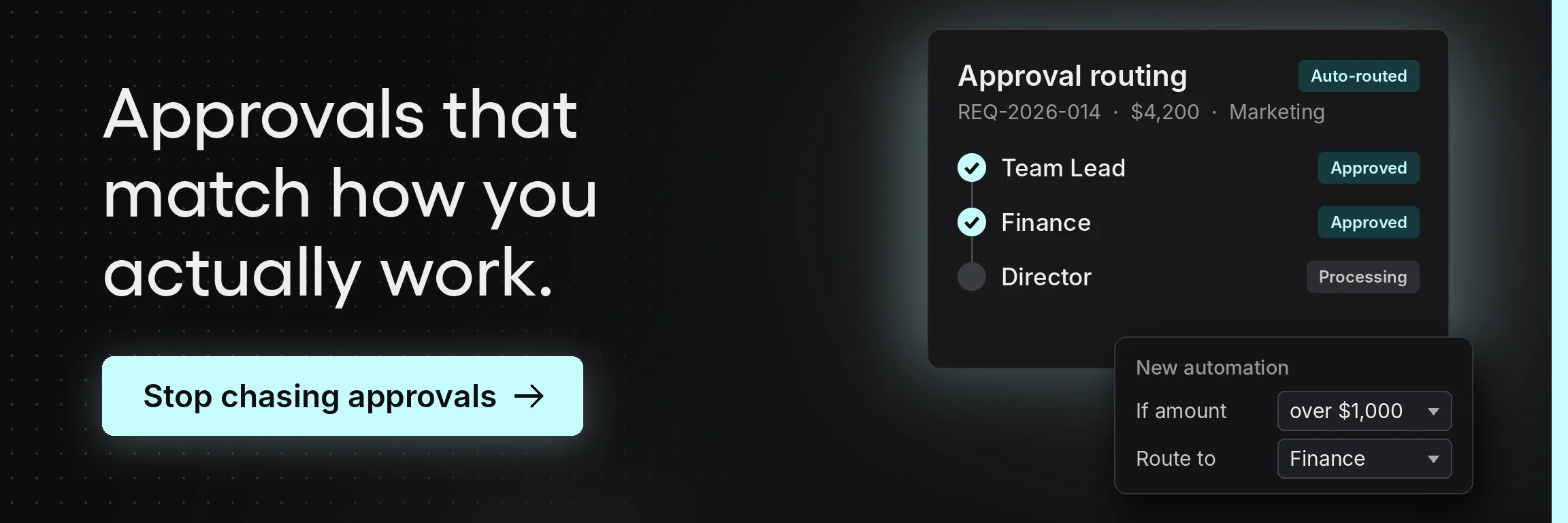
Automating the purchase order approval workflow
Manual processes break in predictable ways. Requests get retyped between systems, approvals happen in email where nobody can audit them, and human error creeps in at every handoff between disconnected systems. Automating the approval workflow removes the mechanical work while leaving the decisions intact.
Here is what actually changes.
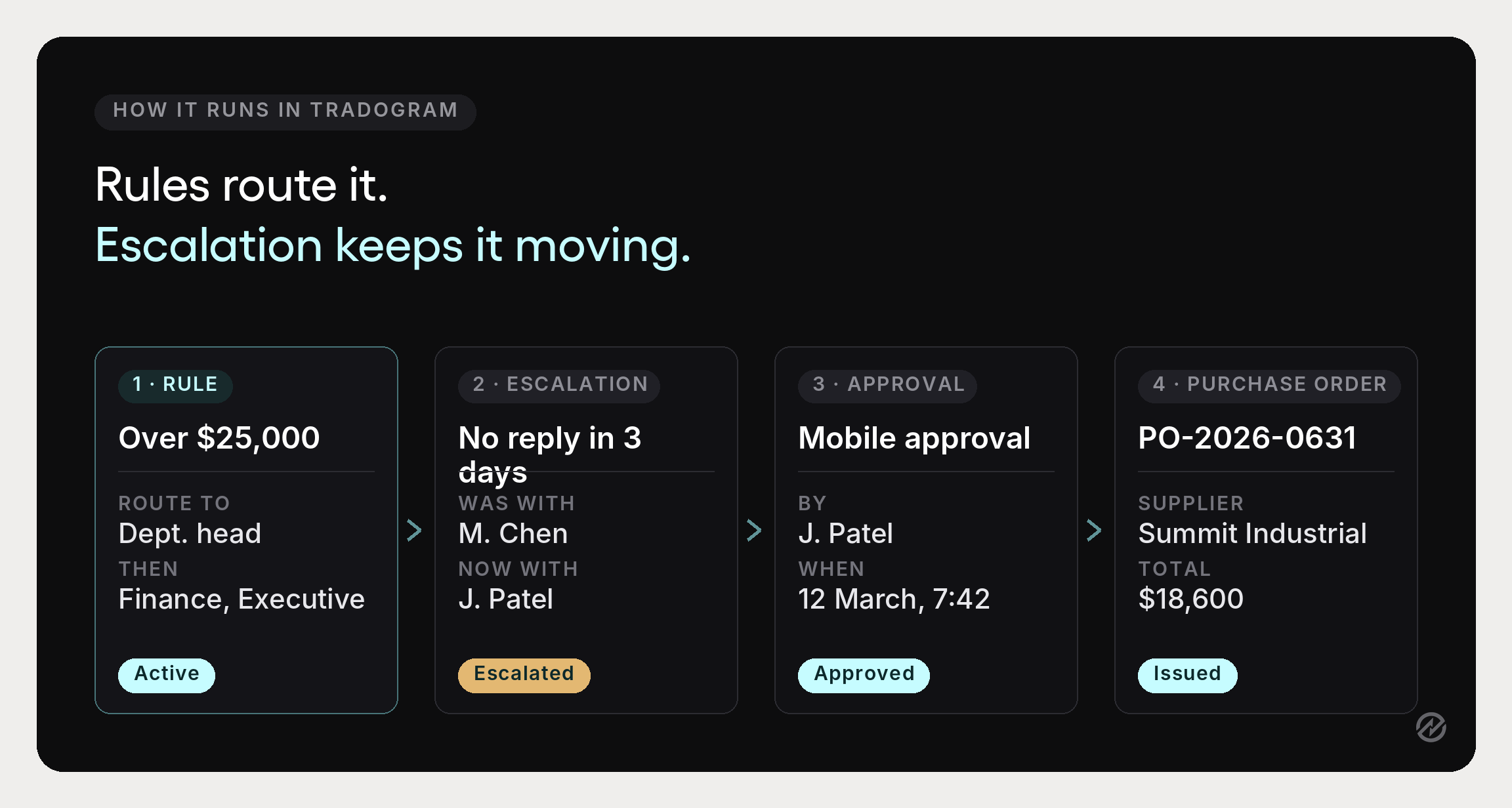
Requests route themselves. Predefined rules send each request to the appropriate approvers based on amount, department, supplier, project, location, GL code, category, or a combination. Nobody has to know the hierarchy to use it.
Approvals move from any device. Approvers review and act from wherever they are, which removes the single most common cause of a stalled request: the approver is not at their desk.
Escalation and delegation happen automatically. Pending approvals escalate after a defined period, and approval authority can be delegated when someone is away. Delays become visible rather than silent.
Status is visible to everyone. Requesters can see where a request stands without asking, removing the chasing that slows approvers down.
The audit trail builds itself. Every approval, rejection, delegation, and escalation is recorded with who acted and when. Audit readiness stops being a project.
Approved requests become purchase orders directly. No rekeying between approval and PO creation, which removes a whole category of errors before they reach a supplier.
Tradogram’s purchase approval software reports 75% less time spent on manual approval processes and 60% fewer compliance violations where consistent controls are applied. Those figures depend on the rules underneath being sound, which is the honest caveat worth repeating: automation enforces your policy, it does not write it.
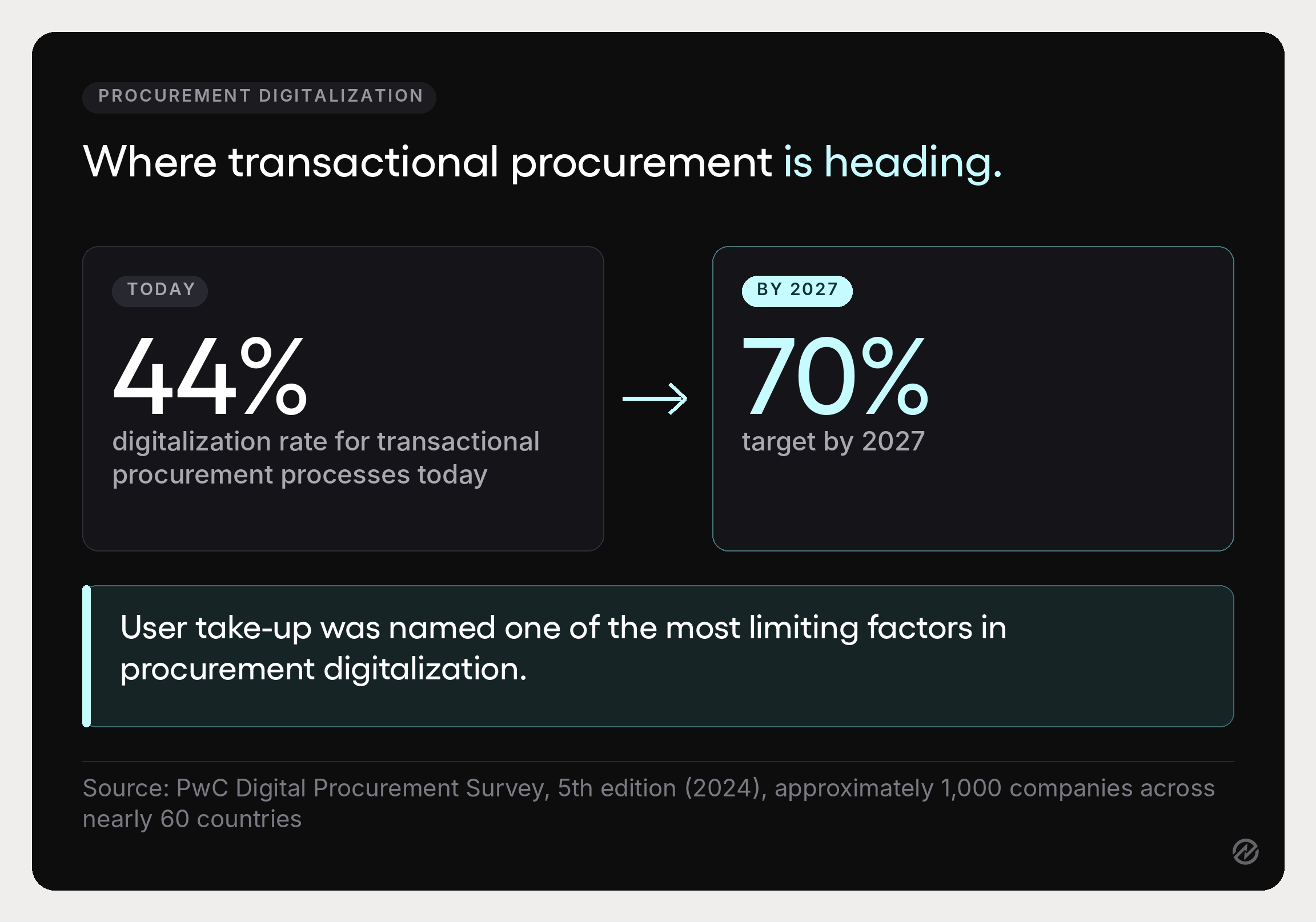
The wider market is moving in the same direction. PwC’s 2024 Digital Procurement Survey, covering roughly 1,000 companies across nearly 60 countries, found respondents reporting a 44% digitalization rate for transactional procurement processes, with a target of 70% by 2027. The same survey identified user take-up as one of the most limiting factors, noting that success “depends more on the quality of the user experience” than on the technology itself.
Choosing purchase order approval software
If you get to the point of evaluating tools, these are the questions that separate them. Most feature lists look identical; these do not.
- Can the approval rules express your real matrix? Multi-level, parallel, and conditional routing across amount, department, supplier, project, location, GL code, and category. A tool with a single approver field will force you to simplify your policy to fit the software.
- Does it check budgets before approval, not after? Budget validation at submission makes approval a decision, not a formality.
- Does it handle absence? Automatic escalation and delegation are the difference between a workflow that degrades gracefully and one that stops.
- Can approvers act from a phone? This sounds cosmetic. It is usually the largest single source of cycle-time reduction.
- Does an approved request become a purchase order without rekeying? This is the join most point tools miss, and it is where purchasing decisions turn into commitments.
- Is the audit trail complete and exportable? Every action, with actor and timestamp.
- Does it connect to your accounting system? Procurement integrations with QuickBooks, Xero, NetSuite, Sage, and Dynamics 365 Business Central determine whether approval data reaches finance without export files.
- Will requesters use it? The largest user group is the one with the least interest in procurement controls. Their experience decides adoption, and adoption decides everything else.
A tool that handles approvals alone, with no link to purchase orders, receiving, or invoice matching, tends to recreate the original problem in software form. The value comes from the stages sharing one record across the procurement lifecycle.
Measuring the purchase order approval process
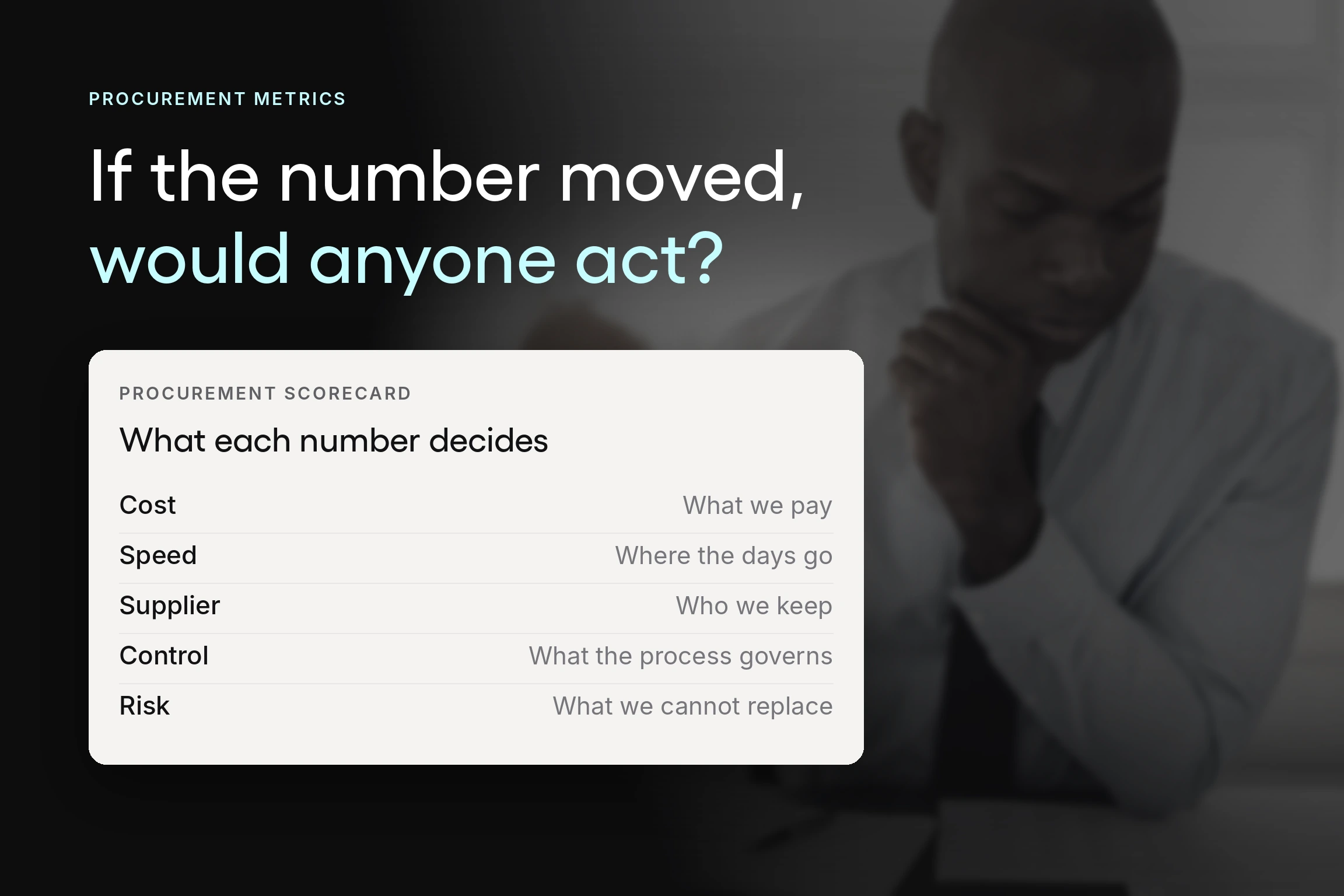
Four numbers tell you whether procurement workflows are working. Track them for a quarter before changing anything so you have a baseline.
Approval cycle time, split by stage. Total time tells you there is a problem. Stage-level time tells you where. This is the number that exposes approval bottlenecks.
First-pass approval rate. The share of purchase approvals granted without a return for more information. A low rate points at the request form, not the requester.
Percentage of spend with an approved purchase order. How much purchasing actually ran through the process before commitment. This measures whether the policy is real.
Off-policy or after-the-fact purchase orders. POs raised after the invoice arrived. This should trend toward zero, and if it does not, the thresholds are probably wrong rather than the people.
Our guide to procurement KPIs covers the wider set, and procurement reporting is what makes these visible without a manual audit.
Where to start
The sequence that works is narrower than a redesign. Write the approval matrix down, including what happens when an approver is away. Add estimated cost and budget line as required fields on purchase requests. Measure time per approval stage for a month, then convert the slowest sequential stage to parallel if the reviewers do not depend on each other. Only then configure software, and roll it out to one department before the whole organization.
Most of the improvement in procurement efficiency comes from those first two steps, which cost nothing but a decision and a form change. The software makes it durable.
Tradogram connects purchase requests, configurable approval workflows, budget checks, purchase orders, receiving, and invoice matching in one system, configured around how your organization already buys. If you want to see how that maps to your current approval thresholds, book a demo and we will walk through it with your own matrix and departments.