


How can supplier profiles be added and visible to multiple branches in the listing overview page?
In a multi-branch Tradogram setup, supplier profiles are initially linked only to the branch in which they were created. To use a supplier for transactions in a different branch, you must manually connect them to that branch's database.
How to Add a Supplier to a Different Branch
If you have a supplier in Branch 1 and want to use them in Branch 2, follow these steps:
- Switch Branches: Change your operating branch to the one you wish to add the supplier to (e.g., Branch 2).

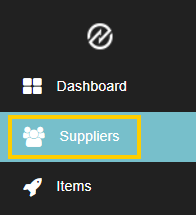
- Access the Database: Click the Suppliers tab on the left toolbar.
- Adjust the View: On the left filter panel, change your view to "View All Company Suppliers" or "View Suppliers Not in My Branch".


- Connect the Supplier: Locate the desired supplier. In the Actions column, you will see a Plus (+) icon.

- Confirm: Click the Plus (+) icon to link that supplier to your current branch.

Note: If you see a Minus (-) icon, the supplier is already connected to that branch. Clicking it will remove the supplier's availability from that specific branch.

Automating Supplier Sharing (Global Access)
If your business process requires every supplier to be available across all branches automatically, Tradogram offers a back-end solution to save you manual entry time.
Our support team can enable a setting that:
- Hooks all existing suppliers to every current branch.
- Ensures any newly created supplier is automatically available in all branches moving forward.
To request this feature, please contact your Customer Success Manager or email support@tradogram.com.
.webp)
.png)


